

Lookout · Free dual camera recorder
Film the moment and your reaction. At the same time.
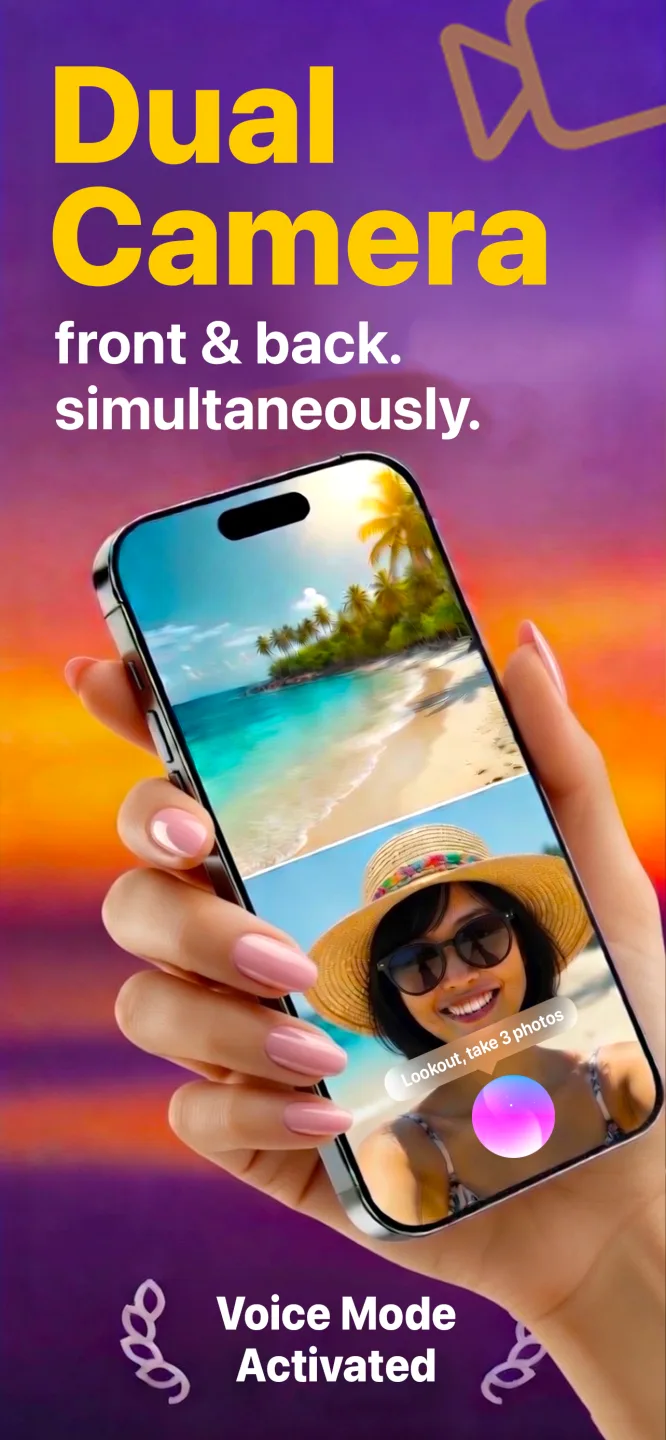
Lookout records your iPhone’s front and back cameras together, in one synced take. Vlogs, interviews, lessons, match day: both angles, no second phone, no second person.
Free to download · iPhone, Mac & Apple Watch · Recordings stay on your device
iPhone & Apple Watch



Mac


Screenshots
See Lookout in action — visuals from the official store listing.
iPhone & Apple Watch
Mac
How it works
Three steps from install to results with Lookout.
- 1
Install Lookout
Download Lookout Dual Camera Recorder from the App Store on iPhone, Mac, or pair with Apple Watch.
- 2
Frame both angles
Position your device so the front and rear (or selected) cameras capture the scenes you need.
- 3
Record and review
Start dual recording, stop when done, then review and export clips for editing or sharing.
How does recording both iPhone cameras at once work?
What the hardware has to support, what you get, and what it costs you in storage and heat.
Dual camera recording needs an A12 chip or newer
Recording the front and rear cameras simultaneously is not a software trick layered on top of a normal camera app. It uses AVCaptureMultiCamSession, an Apple framework that only runs on devices with an A12 Bionic chip or later — iPhone XS, XS Max and XR onwards. On anything older the API is simply unavailable, which is why no app, Lookout included, can offer it there.
Lookout itself needs iOS 17 or later. If your iPhone runs iOS 17 and has an A12 or newer chip, dual capture is available to you.
What you actually get in one take
Two synced streams from one recording: the scene in front of you and your reaction to it, captured on the same timeline rather than filmed twice and aligned afterwards. For an interview that means question and answer in one file. For documentation it means the thing you are recording and the person recording it, with no question about whether the two clips line up.
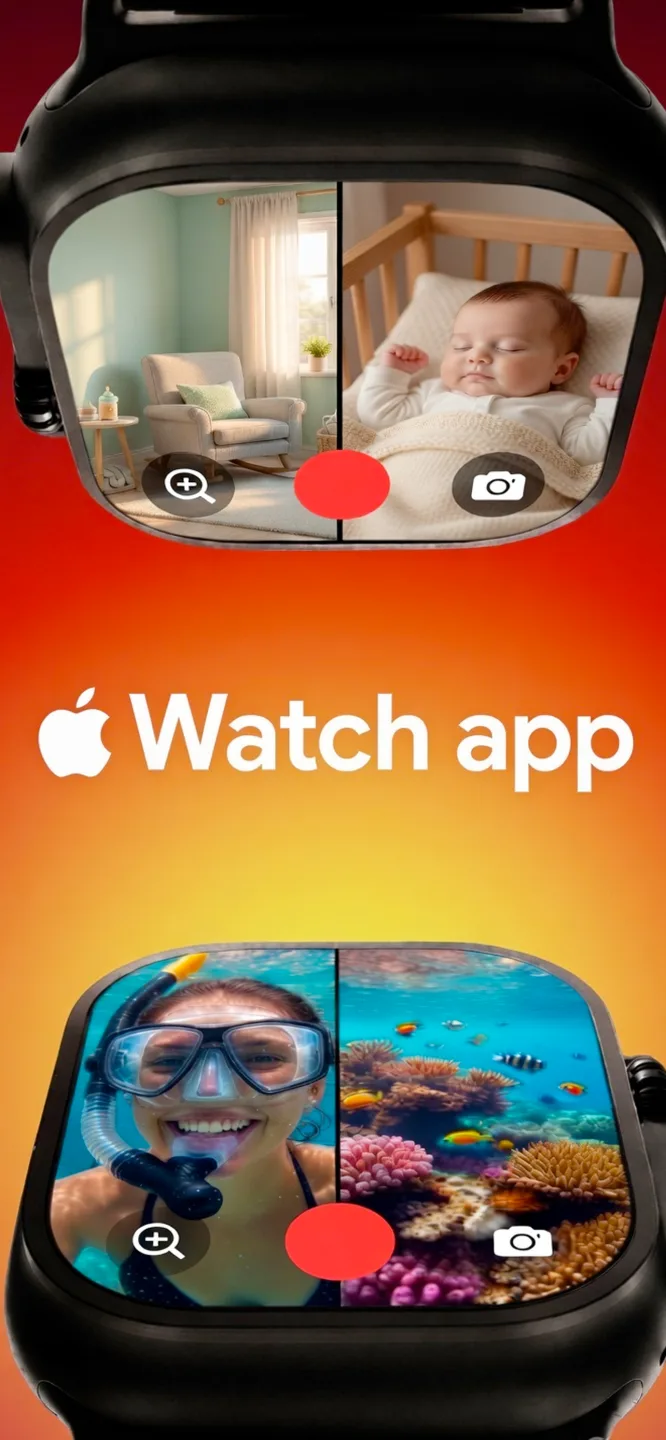
Lookout adds two controls that matter when your hands are busy. “Hey Lookout” voice commands start recording, zoom and take snapshots without touching the screen. The Apple Watch companion shows a live preview of both feeds on your wrist, so you can frame a shot with the phone mounted across the room and trigger it from where you are standing.
The honest costs
Two simultaneous streams is roughly twice the data of one, so files grow faster and free space disappears faster. Driving two camera pipelines also works the image processor harder than single-camera capture, so on long takes the phone gets warm and, like any device under sustained load, iOS may eventually reduce performance to manage temperature. Neither is a defect; both are the physics of asking one phone to do two jobs.
The practical advice: start long shoots with real storage headroom, keep the phone out of direct sun, and take it out of a thick case if you are recording continuously.
| Requirement | Detail |
|---|---|
| Chip | A12 Bionic or later (iPhone XS, XS Max, XR and newer) — an Apple framework requirement, not an app limitation |
| iOS | iOS 17 or later |
| Also runs on | Mac, and an Apple Watch companion app for remote preview and control |
| Price | Free to download |
Older iPhones can still run Lookout’s single-camera features; it is the simultaneous dual capture specifically that needs A12 or newer.
Requirements by platform
What each version needs, and what it records.
| Platform | Requires | What it records |
|---|---|---|
| iPhone | iOS 17.0 or later (simultaneous dual-camera capture needs an A12 chip or newer — iPhone XS and later) | Front and rear cameras at the same time |
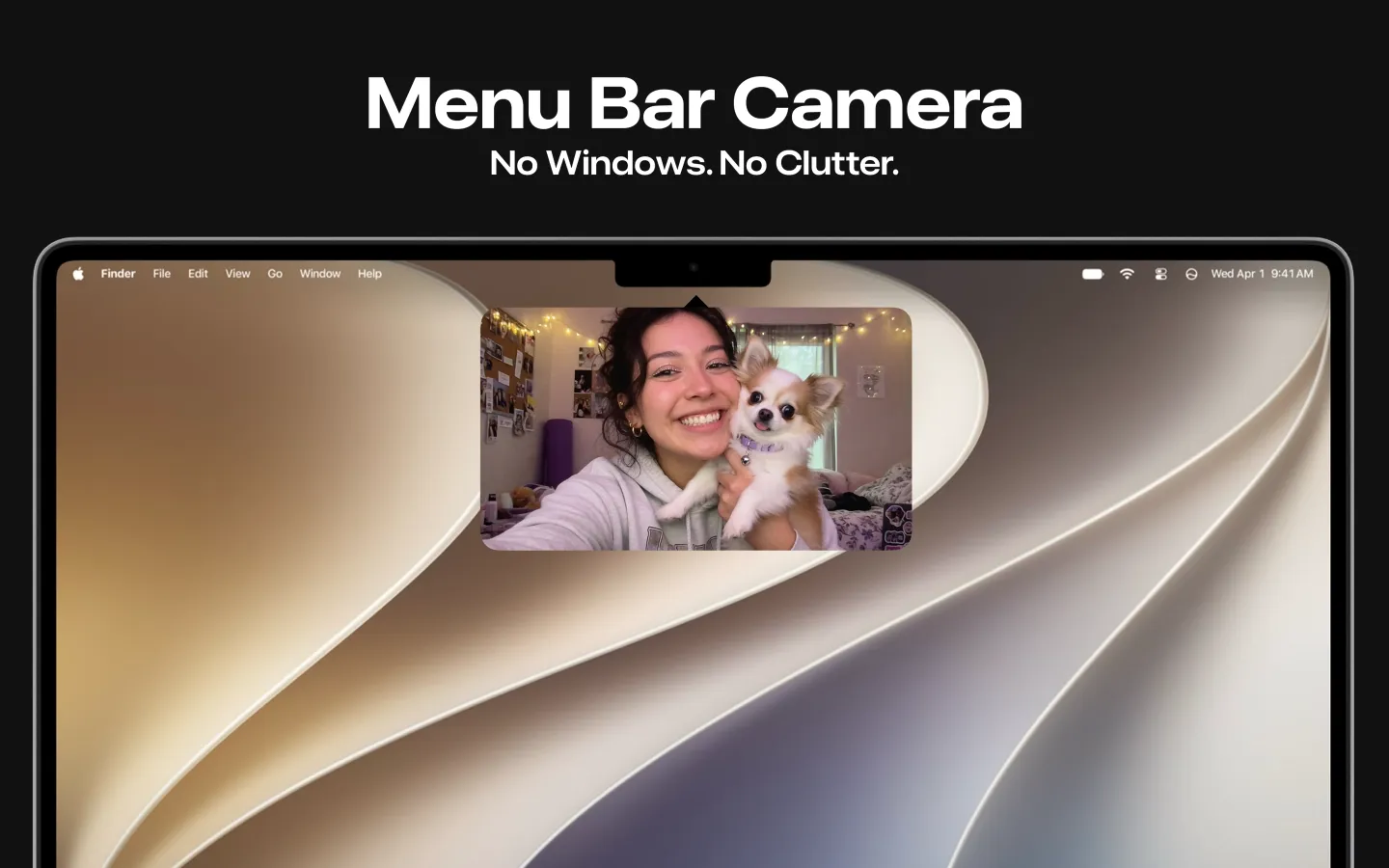
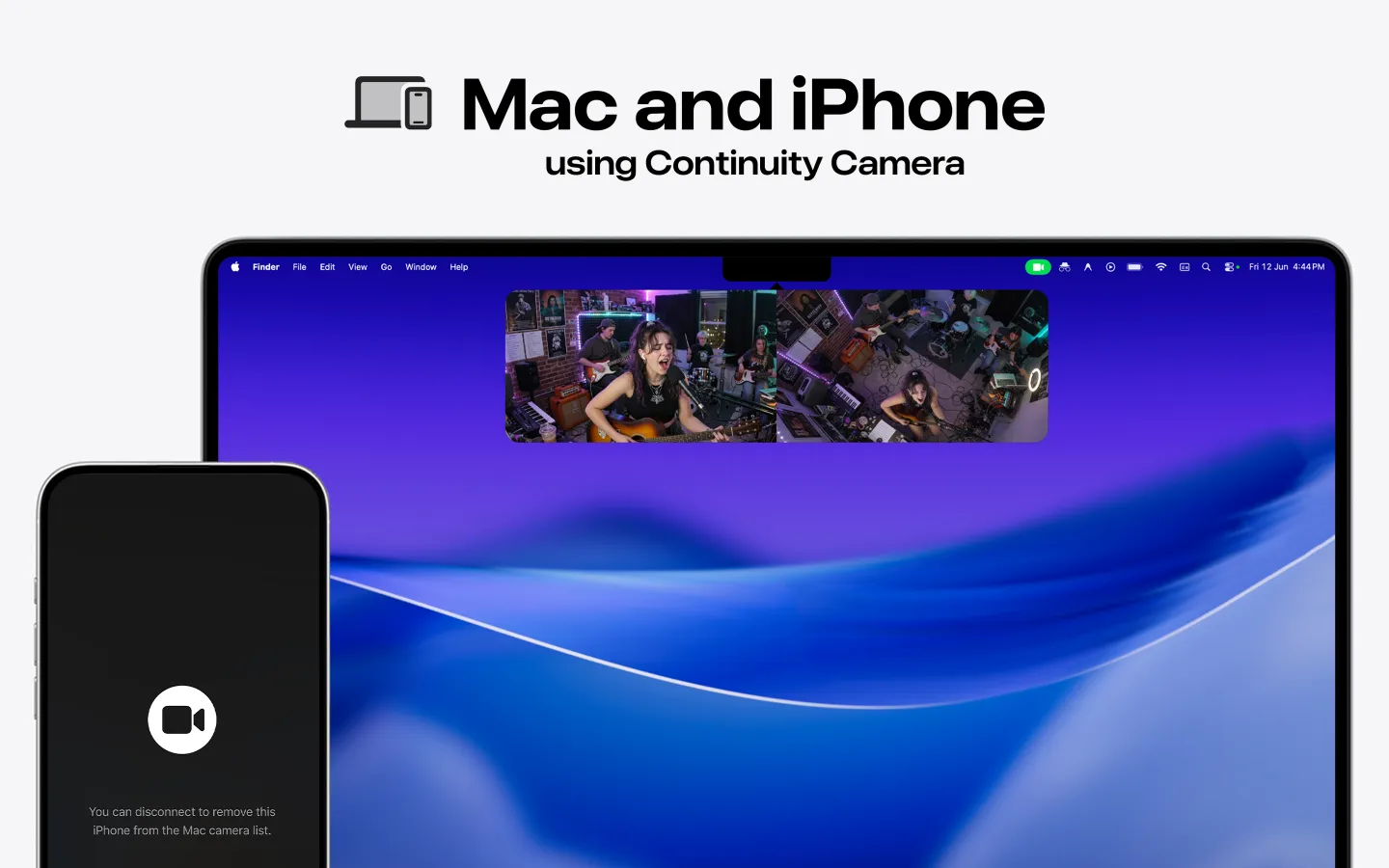
| Mac | macOS 15.6 or later | Mac webcam and iPhone Continuity Camera at the same time. Runs from the menu bar; files stay on the Mac. |
| Apple Watch | watchOS 11.5 or later | Companion app: live preview of both camera feeds, remote start from your wrist |
Free to download on the App Store and Mac App Store; the Mac listing shows in-app purchases. The Mac version is listed in English; the iPhone version in English, Spanish and Hindi.
Guides
SEO guides for real search intent — each one answers a question and shows how Lookout helps.
Recording Your Own Pickleball or Tennis Match
Both sides of the court, started hands-free, framed from your wrist.
Read post › stadium fan cam recording setupThe Stadium Fan-Cam Setup: Filming the Game and the Crowd
A combined field of view of roughly 270 degrees — the pitch and the stands, in one clip.
Read post › la galaxy vs lafc reaction camFilming Your Reaction to LA Galaxy vs LAFC
A hands-free setup for recording your own reaction to El Tráfico.
Read post › sounders vs timbers reaction camFilming Your Reaction to Seattle Sounders vs Portland Timbers
Dual-camera recording for the Cascadia Cup derby.
Read post › inter miami vs orlando city reaction camFilming Your Reaction to Inter Miami vs Orlando City
Front and back cameras, one synced clip, for the Florida derby.
Read post › man utd vs man city reaction camFilming Your Reaction to Manchester United vs Manchester City
A hands-free setup for recording your own reaction to the Manchester derby.
Read post › el clasico reaction camFilming Your Reaction to El Clásico: Real Madrid vs Barcelona
Capturing the room and yourself, synced from the start, for the biggest fixture in club football.
Read post › liverpool vs everton reaction camFilming Your Reaction to Liverpool vs Everton
Dual-camera recording for the Merseyside derby.
Read post › celtic vs rangers reaction camFilming Your Reaction to Celtic vs Rangers
A hands-free setup for the Old Firm.
Read post › ac milan vs inter reaction camFilming Your Reaction to AC Milan vs Inter Milan
Front and back cameras, one synced clip, for the Derby della Madonnina.
Read post › dortmund vs bayern reaction camFilming Your Reaction to Borussia Dortmund vs Bayern Munich
Prop it up, say the word, and let both cameras run for Der Klassiker.
Read post › watch party recording setupWatch Party Recording Setup: Filming the Room and Yourself
The dual-camera setup for any watch party — hands-free, screen-dark, synced from the start.
Read post › arsenal vs chelsea reaction camFilming Your Reaction to Arsenal vs Chelsea
How to set up dual-camera recording, hands-free and screen-dark, for the match.
Read post › newcastle vs bournemouth reaction camFilming Your Reaction to Newcastle vs Bournemouth
Capturing the room and yourself at the same time, synced from the start.
Read post › psg vs monaco reaction camFilming Your Reaction to PSG vs Monaco
A hands-free setup for recording your own matchday reaction.
Read post › real betis vs real madrid reaction camFilming Your Reaction to Real Betis vs Real Madrid
Front and back cameras, one synced clip, no editing required.
Read post › barcelona vs rayo vallecano reaction camFilming Your Reaction to Barcelona vs Rayo Vallecano
Prop it up, say the word, and let both cameras run.
Read post › dash cam footage car accident evidenceUsing Dash Cam Footage as Evidence After a Car Accident
What insurers and attorneys actually look for in dash cam video, and what Lookout’s Dashcam Mode captures.
Read post › iphone dash cam front and rearUsing an iPhone as a Front and Rear Dash Cam
A phone can record the road and the cabin at once, which is what rideshare drivers need. Where it works, and the four things a real dash cam does that it cannot.
Read post › how dual camera recording worksDual Camera Recording on iPhone: How It Actually Works
What the iPhone hardware is actually doing when it records two cameras at once, and why simultaneous is not the same as composited.
Read post › how dual camera recording worksDual Camera Recording on iPhone: How It Actually Works
What the iPhone hardware is actually doing when it records two cameras at once, and why simultaneous is not the same as composited.
Read guide › lookout cameraLookout Camera App — What It Does and Who It Is For
What the Lookout camera app is built to do well, and where it deliberately stops.
Read guide › best dual camera app for iphoneBest Dual Camera App for iPhone in 2026
A practical look at best dual camera app for iphone—and where Lookout comes in.
Read guide › best vlogging camera app iphoneBest Vlogging Camera App for iPhone (Dual Angle)
A practical look at best vlogging camera app iphone—and where Lookout comes in.
Read guide › record front and back camera iphone simultaneouslyHow to Record Front and Back Camera on iPhone at the Same Time
Practical guide for people searching “record front and back camera iphone simultaneously” — and how Lookout helps you do it.
Read guide › two person interview one phoneHow to Record a Two-Person Interview on One iPhone
Eyelines, audio, lighting two people facing opposite directions, and consent. Interviewing with a single phone and two angles.
Read guide › two camera recording on macRecording Two Cameras at Once on a Mac
What counts as a second camera on a Mac, what the desktop makes easier, what it makes harder, and a setup that actually works.
Read guide › dual camera recording security iphoneUse Dual Camera Recording on iPhone for Security & Documentation
Practical guide for people searching “dual camera recording security iphone” — and how Lookout helps you do it.
Read guide › when two angles are worth itWhen Front and Rear Footage Is Actually Worth It
Reaction, context, proof, demonstration and two-person interviews — the five situations two angles genuinely improve, and the ones they do not.
Read guide › camera app offlineDoes a Camera App Need an Internet Connection?
Nothing about recording video requires a network. Where the dependency hides, a one-minute test to find it, and what offline costs you.
Read guide › lookout vs doubletakeLookout vs DoubleTake: Dual Camera Recording on iPhone
Pricing model, platform coverage and resolution ceiling compared — including the rows where DoubleTake wins.
Read guide › lookout vs doubletakeLookout vs DoubleTake: Dual Camera Recording on iPhone
Pricing model, platform coverage and resolution ceiling compared — including the rows where DoubleTake wins.
Read guide ›FAQ
Answers people search for before they download.
Which iPhones can record front and back cameras at the same time?
Any iPhone with an A12 Bionic chip or later, which means iPhone XS, XS Max and XR onwards. That is a requirement of Apple’s AVCaptureMultiCamSession framework rather than a limitation of any one app, so no app can offer simultaneous dual capture on older devices. Lookout additionally needs iOS 17 or later.
Does recording both cameras drain the battery and fill storage faster?
Yes, and it is worth planning for. Two simultaneous streams write roughly twice the data of a single stream, and driving two camera pipelines works the processor harder, so the phone runs warmer on long takes. Start long shoots with plenty of free space, keep the phone out of direct sun, and consider removing a thick case if you are recording continuously.
What is a dual camera recorder app?
A dual camera recorder lets you capture video from two cameras at once—typically the front and rear cameras on iPhone, or multiple inputs on Mac. Lookout is built for this workflow so you never miss a reaction or a second angle.
Can I record front and back cameras simultaneously on iPhone?
Yes. With Lookout Dual Camera Recorder you can record the front and rear cameras at the same time on supported iPhones, ideal for vlogs, interviews, and documentation.
Does Lookout work on Mac?
Yes. Lookout is available on the Mac App Store so you can use dual-camera style capture in desktop workflows as well as on iPhone and Apple Watch.
Is Lookout free?
Lookout Dual Camera Recorder is free to download on the App Store. Open the listing for current pricing and in-app details.
Who should use a dual camera video recorder?
Creators, journalists, educators, and anyone who needs both the subject and the presenter (or two scenes) in one take without switching cameras mid-recording.
Is dual camera recording good for interviews?
Yes. Recording two angles at once preserves interviewer and interviewee reactions without a multi-cam crew. See our interview workflow guide.
Get Lookout today
Video recorder for Mac & iPhone — built by KIDA Studios.