

Lookout for Mac · Free dual camera recorder
Your webcam and your iPhone, recording together.
Lookout for Mac records the built-in camera and an iPhone Continuity Camera in one take, straight from the menu bar. No window in the way, and every file stays on your Mac.
Free to download · macOS 15.6+ · Runs in the menu bar, saves locally
Mac


What Lookout does on Mac
The macOS version specifically — what it is built around and what it does differently from the other versions.
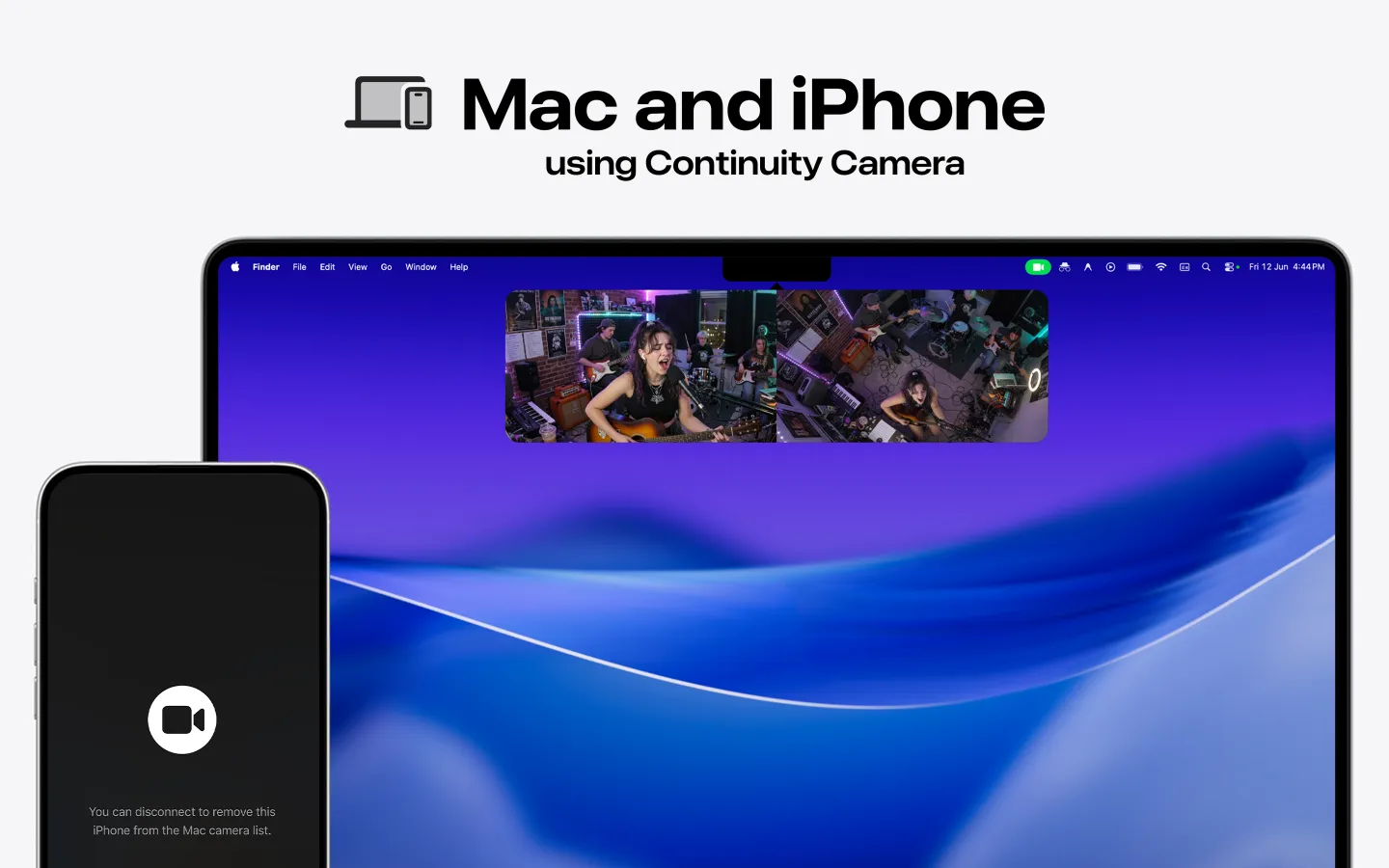
On a Mac, “two cameras” means something different from on a phone. There is no front and back; there is the webcam built into the display and whatever else you attach. Lookout for Mac is built around the pairing most people already own: the Mac’s own camera plus an iPhone over Continuity Camera, recorded at the same time.
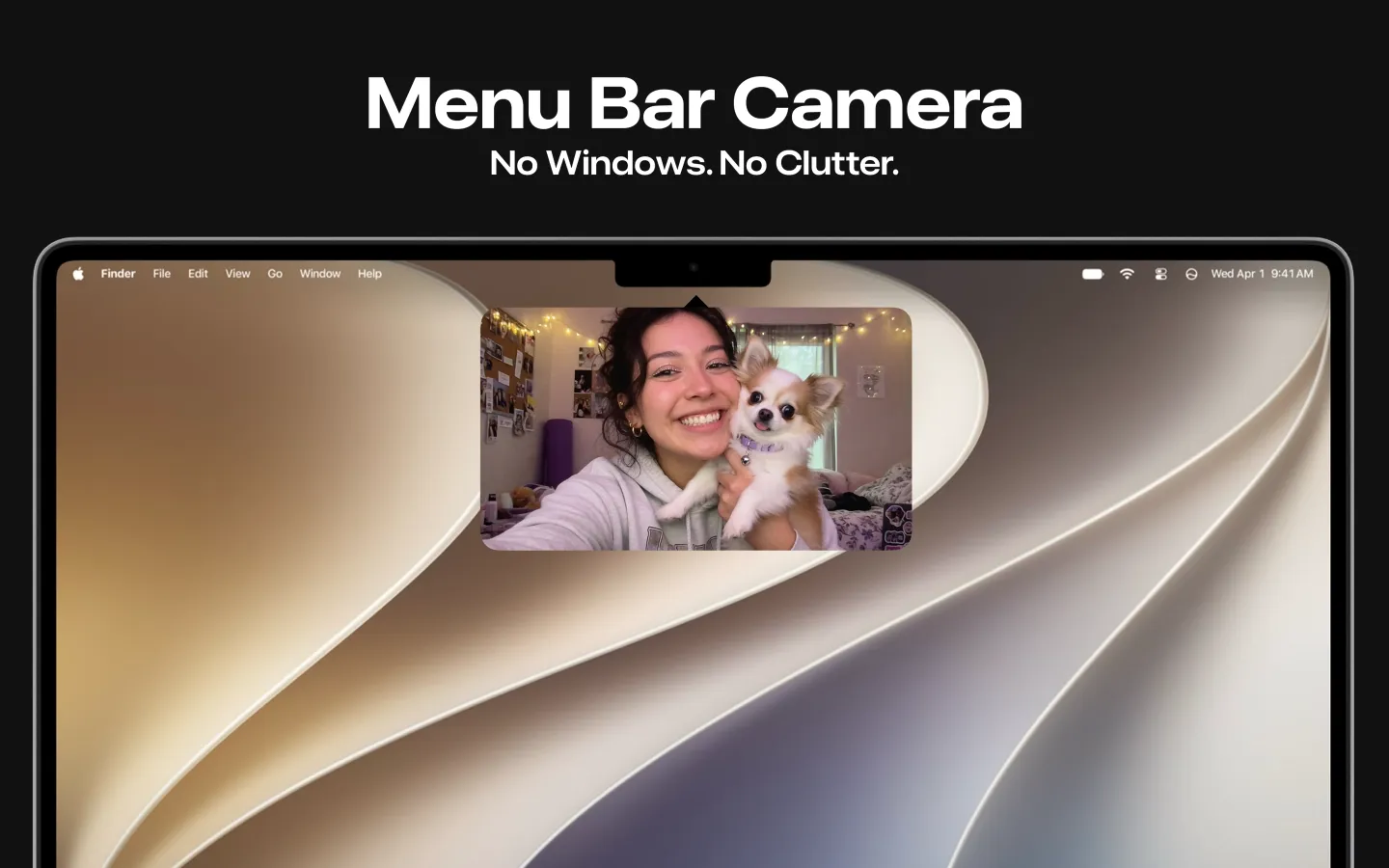
It lives in the menu bar. There is no document window and no timeline to arrange. Click the icon, see both feeds, start recording. That is deliberate — the desktop version is for podcasts, demos, rehearsals and interviews where you want a second angle without opening a video editor.
Files are written to the Mac and stay there. Nothing goes to a server, and there is no account to create.
If you are searching for a camera app for PC, read the requirements below first: this is a macOS app, downloaded from the Mac App Store, and there is no Windows build of Lookout. On a Mac it is free.
On Mac you get
Webcam + Continuity Camera together.
The built-in camera and a connected iPhone recorded simultaneously.
Menu bar app.
One click for camera access, a two-up preview, no windows and no clutter.
Local files.
Recordings are saved on the Mac; nothing is uploaded.
Desktop workflows.
Podcast two-shots, product demos, band rehearsals, two-person interviews at a desk.
Same recorder, same family.
Sits alongside the iPhone and Apple Watch versions under one App Store listing.
How to get Lookout on Mac
Three steps from the store to your first result on macOS.
- 1
Install from the Mac App Store
Use the button above or search the Mac App Store for Lookout. The download is free.
- 2
Connect a second camera
Bring an iPhone nearby with Continuity Camera enabled, or plug in any camera macOS recognises.
- 3
Record from the menu bar
Click the Lookout icon, check the two-up preview, and start. The file is saved on your Mac.
Mac requirements
What the macOS version needs before you install it.
- macOS
- macOS 15.6 or later
- Cameras
- The Mac’s built-in camera, plus an iPhone over Continuity Camera or another camera macOS recognises
- Windows
- There is no Windows build of Lookout — this app runs on macOS only
- Price
- Free to download on the Mac App Store; the listing shows in-app purchases
- Language
- The Mac listing is in English
- Storage
- Recordings are written locally — two streams grow files roughly twice as fast as one
Continuity Camera needs an iPhone signed into the same Apple Account, with Wi-Fi and Bluetooth on, near the Mac.
Lookout on other platforms
The same app, on the devices you already own.
Lookout for iPhone
Front and rear cameras in one synced take, started by voice, with the screen blanked while it records.
Open the platform page › watchOSLookout for Apple Watch
Live preview of both camera feeds on your wrist, with record, zoom and shutter controls for the iPhone.
Open the platform page › all platformsThe full Lookout overview
Every platform, every guide and the complete FAQ on one page.
Open the platform page ›FAQ
Questions people ask before installing on macOS.
Does Lookout for Mac record two cameras at the same time?
Yes. It records the Mac’s built-in webcam and a second camera — typically an iPhone over Continuity Camera — simultaneously, saving the result on the Mac.
Which macOS version do I need?
macOS 15.6 or later.
Is the Mac version free?
It is free to download on the Mac App Store. The listing shows in-app purchases; check it for current details.
Where do the recordings go?
They are saved locally on the Mac. Lookout does not upload video and does not need an account.
Is there a camera app for PC?
Not from us. Lookout is a Mac app and there is no Windows version, so if you are looking for the best camera app for PC this is not it. On a Mac, the camera app download is free from the Mac App Store and records two angles at once.
Is Lookout the best camera app for Mac?
For a single talking-head recording, the app you already have is fine. What makes this the best camera app for the desktop in one specific case is the second angle: webcam plus iPhone, recorded together from the menu bar, with no editor and no window in the way.
Is it an HD camera app on Mac?
Yes. Both feeds are recorded in HD; the ceiling depends on the cameras you connect — the Mac’s built-in camera and the iPhone you pair over Continuity Camera.
Can Lookout view CCTV or IP cameras on a Mac?
No. It is not a CCTV camera app. Lookout records from cameras macOS itself recognises — the built-in webcam, a Continuity Camera iPhone, a connected USB camera — not from network or security camera feeds.
Get Lookout for Mac
Dual camera recorder for Mac — built by KIDA Studios.