
What you need
- A Mac with a built-in camera or a USB webcam.
- An iPhone that supports Continuity Camera (iPhone XR or later on a current iOS).
- Both signed in to the same Apple Account, with Wi-Fi and Bluetooth on.
- Lookout for Mac, free on the Mac App Store (macOS 15.6 or later).

Lookout · Free dual camera recorder
Lookout for Apple Watch: both iPhone cameras on your wrist
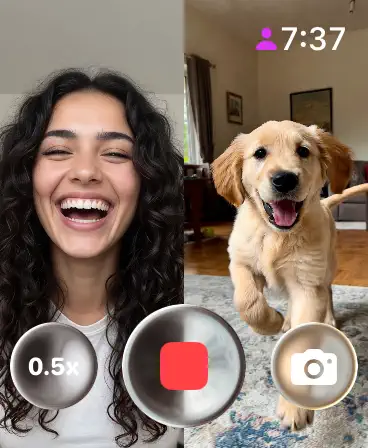
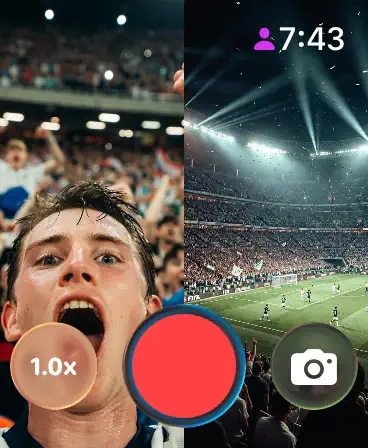
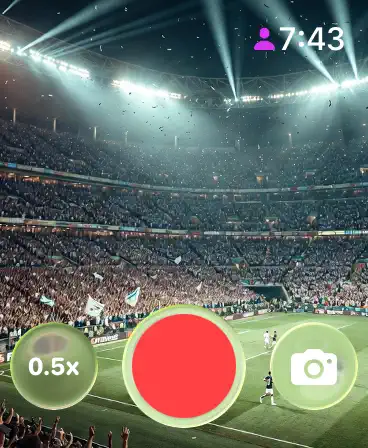
Preview the front and rear iPhone cameras on Apple Watch, then start recording from across the room.
Free to download · Lookout Pro in-app purchase · Mac and iPhone · Records, does not edit. What Lookout is
Step by step
- Put the iPhone on a stable surface or tripod, pointing at the shot.
- On the watch, open Camera Remote. Or open Camera on the iPhone and tap the hint that appears on the watch face.
- Frame the shot using the live preview on your wrist.
- Zoom with the Digital Crown; tap an area to adjust exposure.
- Tap the Shutter for a photo (3-second timer by default), or touch and hold it to record video.
- Tap the thumbnail to review shots on the watch. They are saved in Photos on the iPhone.
Switch between front and rear cameras
Tap the options button in Camera Remote to choose Front or Rear, and to set the timer, flash and Live Photo (Apple Support). The built-in app shows one camera at a time.
See the front and back cameras at once
Some shoots need both angles: you and what you're watching, a coach and a player, a speaker and the room. Lookout records the iPhone's front and rear cameras together, and the Lookout Apple Watch app shows both live feeds on your wrist, so you can check both framings and start recording without walking back to the phone. Recordings save on the iPhone. It needs watchOS 11.5 or later. Lookout for iPhone is free to download, and the Apple Watch app comes with it at no extra cost. Full recording is unlocked by Lookout Pro, a one-time in-app purchase (US$2.99 on the US App Store when checked on 28 October 2026; local prices vary).