

Lookout for Apple Watch · Included with the free iPhone app
Hit record from across the room.
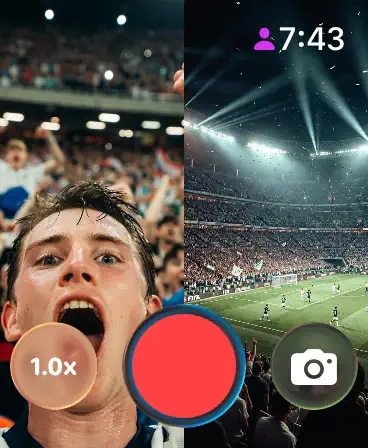
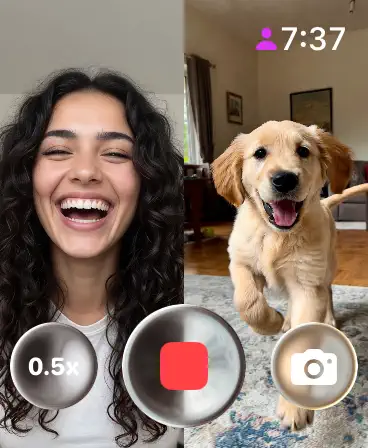
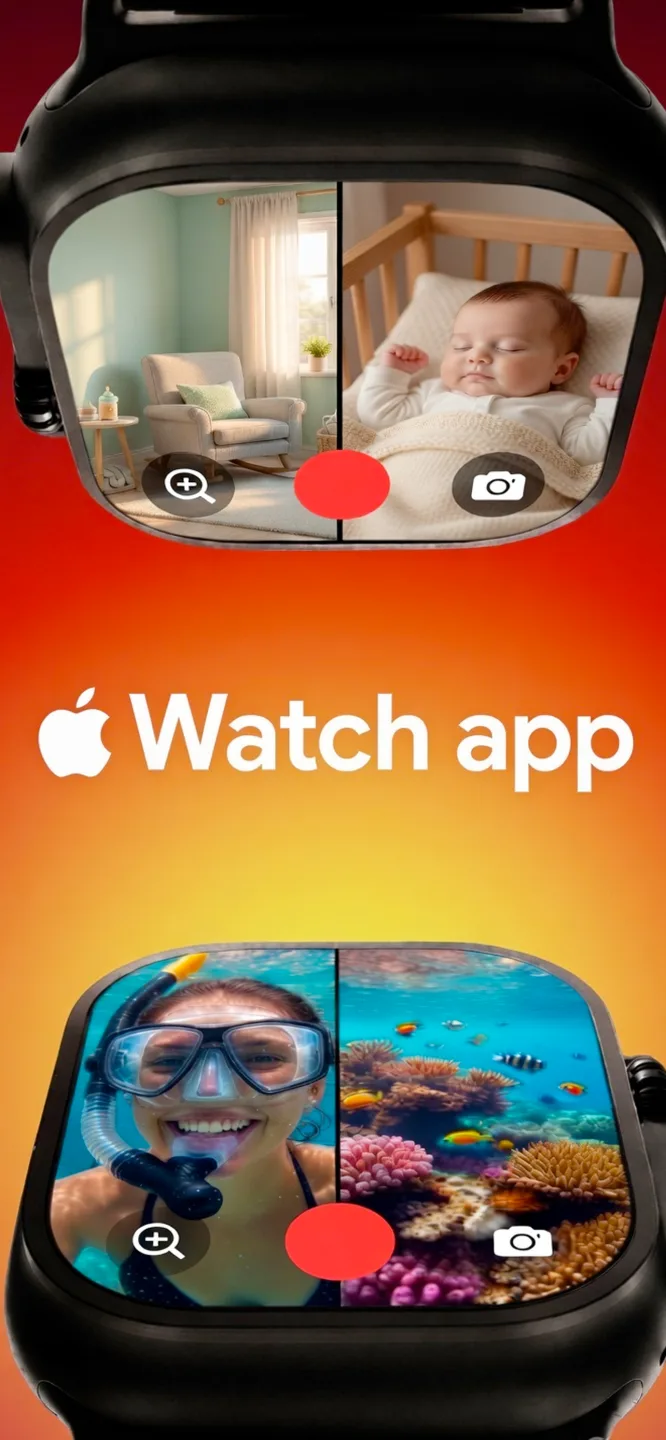
Lookout on Apple Watch shows a live preview of both iPhone cameras on your wrist. Frame the shot, zoom, record and take photos without walking back to the phone.
Included with Lookout for iPhone · watchOS 11.5+ · Recordings save to your iPhone
Apple Watch
What Lookout does on Apple Watch
The watchOS version specifically — what it is built around and what it does differently from the other versions.
The Apple Watch app is not a recorder in its own right — a watch has no camera worth filming with. It is a remote control and monitor for Lookout on your iPhone. Mount the phone across the room, and the watch shows you what both cameras see and lets you start the take from where you are standing.
That solves the problem every self-recorded shoot has: you cannot frame yourself and press the button at the same time. Prop the phone up for a pickleball match, a rehearsal, a watch party or a nursery, check the framing on your wrist, then tap record.
The companion is included with the iPhone app. There is nothing separate to buy; install Lookout on the iPhone and the watch app appears in the Watch app’s list of available apps.
On Apple Watch you get
Live two-camera preview.
A split view of both iPhone feeds on the watch face.
Remote record.
Start and stop the iPhone recording from your wrist.
Zoom and shutter.
Adjust zoom per camera and take snapshots mid-recording.
Framing from a distance.
Set the phone down, walk into the shot, and check it before you start.
Included, not extra.
Ships with the free iPhone download; no separate purchase.
How to get Lookout on Apple Watch
Three steps from the store to your first result on watchOS.
- 1
Install Lookout on your iPhone
The watch app comes with the iPhone download from the App Store.
- 2
Add it on the Watch
Open the Watch app on iPhone, find Lookout under Available Apps, and tap Install — or let automatic app install do it.
- 3
Preview and record from your wrist
Open Lookout on the watch, check both feeds, and tap record. The iPhone does the filming.
Apple Watch requirements
What the watchOS version needs before you install it.
- watchOS
- watchOS 11.5 or later
- iPhone
- A paired iPhone running Lookout on iOS 17 or later — the watch controls it, it does not record on its own
- Dual capture
- For both feeds, the paired iPhone needs an A12 chip or newer (iPhone XS / XR onwards)
- Price
- Included with the free iPhone app
- Connection
- Standard watch-to-iPhone pairing; no internet required
The preview is a monitor for framing, not a recording on the watch — the video file is saved on the iPhone.
Lookout on other platforms
The same app, on the devices you already own.
Lookout for iPhone
Front and rear cameras in one synced take, started by voice, with the screen blanked while it records.
Open the platform page › macOSLookout for Mac
Mac webcam and iPhone Continuity Camera recorded together, from the menu bar, with files kept on the Mac.
Open the platform page › all platformsThe full Lookout overview
Every platform, every guide and the complete FAQ on one page.
Open the platform page ›FAQ
Questions people ask before installing on watchOS.
Does the Apple Watch app record video by itself?
No. It shows a live preview of the iPhone’s two camera feeds and controls recording, zoom and snapshots remotely. The iPhone captures and stores the video.
Is the watch app a separate purchase?
No. It is included with the Lookout iPhone app, which is free on the App Store.
Which watchOS version is required?
watchOS 11.5 or later, paired with an iPhone running iOS 17 or later.
Why would I use a watch to control a camera app?
Because you cannot frame yourself and press record at the same time. With the phone mounted, the watch lets you check both angles and start the take from inside the shot.
Is there a free camera app for Apple Watch?
This one. The camera app download is free on the App Store: install Lookout on the iPhone and the Apple Watch app comes with it, at no extra cost.
Can the Apple Watch app watch a room like a CCTV camera app?
Not in the security-camera sense — it is not a CCTV camera app and connects to no network cameras. What it does do is show you, live on your wrist, what both of the mounted iPhone’s cameras currently see, and let you start recording from another room.
Does the watch preview show HD?
The recording is HD; the wrist preview is a small monitor for framing, so it is scaled down to the watch display. The HD file is written on the iPhone.
Get Lookout for Apple Watch
Apple Watch companion for the Lookout recorder — built by KIDA Studios.