

Envora · Free bulk email app for iPhone
Your list grew. Your email bill shouldn’t.
Envora sends bulk email through the Gmail or Google Workspace account you already have. No per-subscriber pricing, no marketing platform to learn, and your contact list never leaves your iPhone.
Free to download · Sends through your Gmail or Workspace · Contacts stay on your iPhone
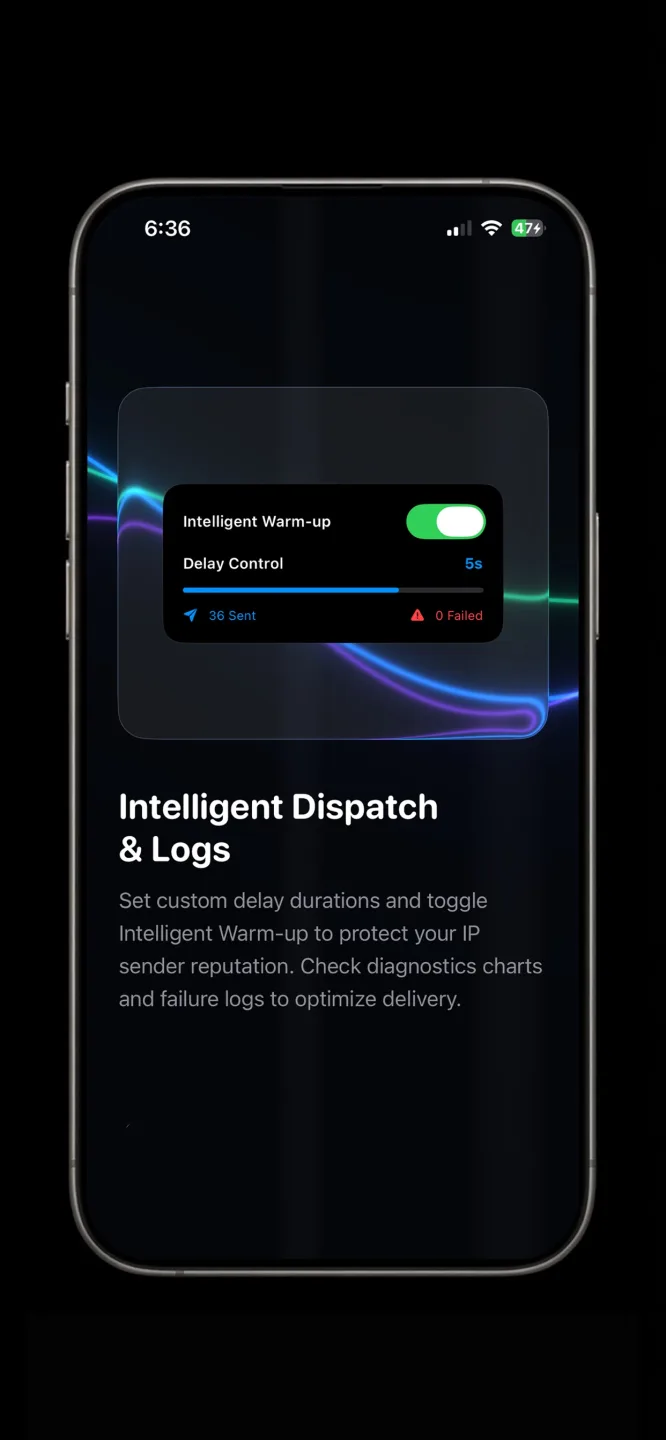
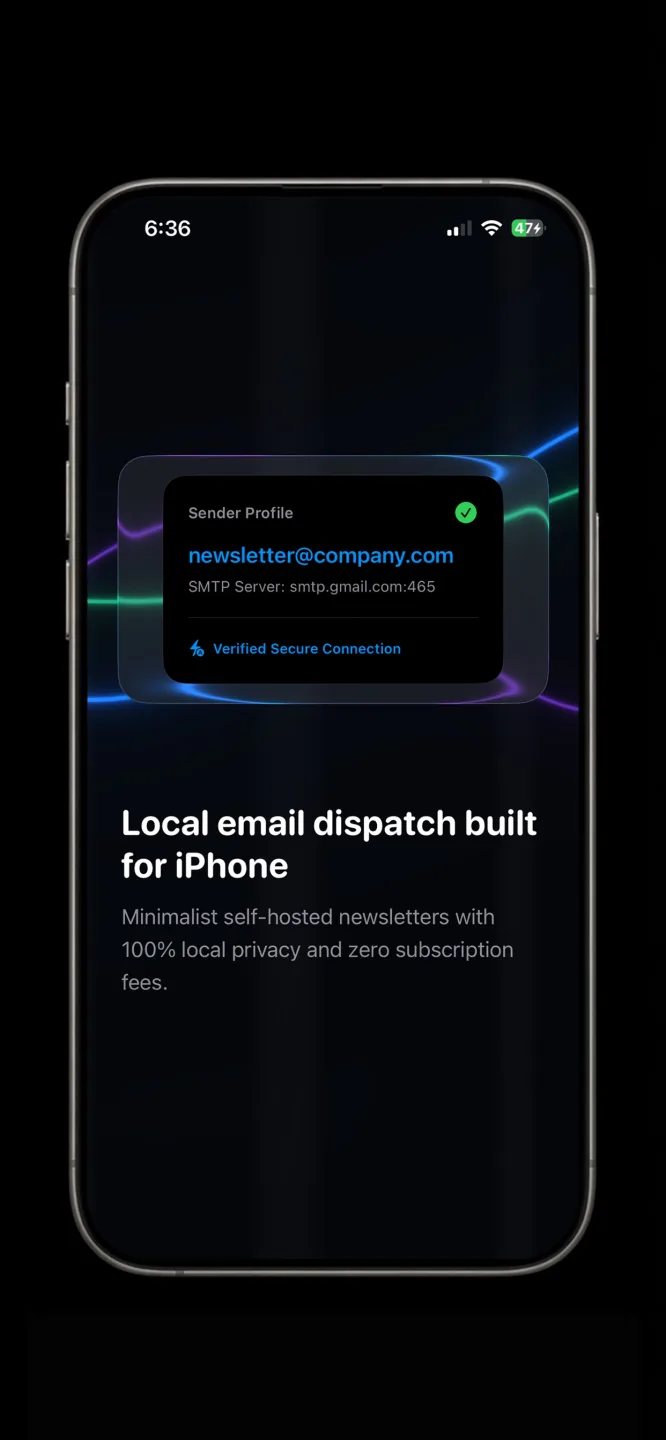


Screenshots
Visuals from the official App Store listing.
How it works
Three steps from install to results with Envora.
- 1
Set up your sender
Configure your dispatch workflow with the contacts and message you need to send.
- 2
Compose and list
Build your campaign without paying for seats you do not use—designed for lean teams.
- 3
Dispatch and track
Send bulk email efficiently and keep outreach sustainable as your audience grows.
Where does your contact list actually go?
Envora sends through your own Gmail or Google Workspace account. That single design choice decides the pricing, the deliverability and what happens to your contacts.
Bulk email without uploading your contact list
Most bulk email platforms begin by asking you to import your contacts to their servers. That is what makes per-subscriber pricing possible: the list lives with them, and you are billed for its size. Envora inverts the arrangement. It sends through the Gmail or Google Workspace account you already pay for, so the mail leaves from your own address using Google’s infrastructure.
The consequence people care about is the pricing model. There is no per-subscriber tier, because there is no subscriber list held on someone else’s server to count.
Why sending through your own account helps deliverability
Mail sent through Google leaves from Google’s infrastructure with your domain’s existing reputation and authentication behind it. You are not borrowing a shared IP pool whose reputation depends on how every other sender on it behaved this week. For a small sender with a clean domain, that is usually an advantage.
It is not a magic pass. Inbox placement still depends on the ordinary things: a list of people who asked to hear from you, a recognisable from-address, a real unsubscribe path, and not sending far more mail than your domain normally sends.
Google’s sending limits apply, because Google is the sender
Because the mail goes through your Google account, Google’s daily limits apply rather than a limit Envora sets. Google documents a ceiling of 500 recipients per day for a free Gmail account. Paid Google Workspace accounts get a higher allowance, and Workspace trial accounts are limited more tightly than paid ones. Exceed a limit and sending pauses for up to 24 hours while the rest of the account keeps working.
Check the current figure for your own account type in Google’s published sending limits before planning a large send — these are Google’s numbers and Google can change them.
| Account type | Daily recipient limit | Set by |
|---|---|---|
| Free Gmail | 500 recipients per day | |
| Google Workspace (paid) | Higher — check Google’s current published figure for your plan | |
| Workspace free trial | Lower than paid, and not raised during the trial |
Envora does not impose a sending cap of its own. The limit is whatever Google allows your account, which is why the app suits regular sends to a real customer list rather than one enormous blast.
Guides
SEO guides for real search intent — each answers a question and shows how Envora helps.
Sending Bulk Email Without Uploading Your List
Every bulk email tool asks you to upload your contact list first. That is the part I would never agree to again.
Read post › best app to send bulk emails for freeBest App to Send Bulk Emails for Free in 2026
A practical look at best app to send bulk emails for free—and where Envora comes in.
Read guide › best email marketing for startupsBest Email Marketing for Startups (Without Burning Runway)
A practical look at best email marketing for startups—and where Envora comes in.
Read guide › best bulk email app for iphoneBest Bulk Email App for iPhone in 2026
A practical look at best bulk email app for iphone—and where Envora comes in.
Read guide › bulk email app small businessBulk Email App for Small Business — Lower Cost Outreach
Practical guide for people searching “bulk email app small business” — and how Envora helps.
Read guide › send bulk email without subscriptionHow to Send Bulk Email Without Expensive Subscriptions
Practical guide for people searching “send bulk email without subscription” — and how Envora helps.
Read guide › cost efficient email marketing appBest Cost-Efficient Email Marketing App for Freelancers
Practical guide for people searching “cost efficient email marketing app” — and how Envora helps.
Read guide › bulk email deliverability tipsReach Inboxes, Not Spam: Bulk Email Best Practices
Practical guide for people searching “bulk email deliverability tips” — and how Envora helps.
Read guide › bulk email without uploading contactsSend Bulk Email Without Uploading Your Contact List
What importing your list really sets up, when sending from your own mailbox is better, and the real limits of doing it that way.
Read guide › envora vs mailchimpEnvora vs Mailchimp: Which Suits a Small List
What Mailchimp does that Envora cannot, what you pay for it, and the list size where the answer flips.
Read guide › envora vs mailchimpEnvora vs Mailchimp: Which Suits a Small List
What Mailchimp does that Envora cannot, what you pay for it, and the list size where the answer flips.
Read guide ›FAQ
Answers people search for before they download.
Do I have to upload my contacts to use Envora?
No. Envora sends through the Gmail or Google Workspace account you already have, so your list is not imported to a third-party server to be counted and billed. That is also why there is no per-subscriber pricing tier: there is no hosted subscriber list to charge you for.
How many emails can I send in a day with Envora?
Whatever Google allows your account, because Google is doing the sending. Google documents a limit of 500 recipients per day for a free Gmail account; paid Google Workspace accounts get a higher allowance, and trial accounts are limited more tightly. Envora adds no cap of its own. Check Google’s published sending limits for your plan before a large send.
What is Envora?
Envora is a bulk email dispatch app by KIDA Studios built for small businesses that want cost-efficient outreach without traditional ESP lock-in.
Is Envora free?
Envora is free to download on the App Store. Open the listing for current pricing and any in-app details.
Who is Envora for?
Small business owners, freelancers, and marketers who need bulk email without expensive per-subscriber pricing.
Does Envora replace Mailchimp?
Envora is designed as a cost-efficient alternative for dispatching bulk email—evaluate fit against your volume and compliance needs.
What platform is Envora on?
Envora is available on the App Store for iPhone.
Get Envora today
Reach inboxes, not spam — built by KIDA Studios.