

Kaal · Free divine watch faces for Apple Watch
Your devotion, every time you check the time.
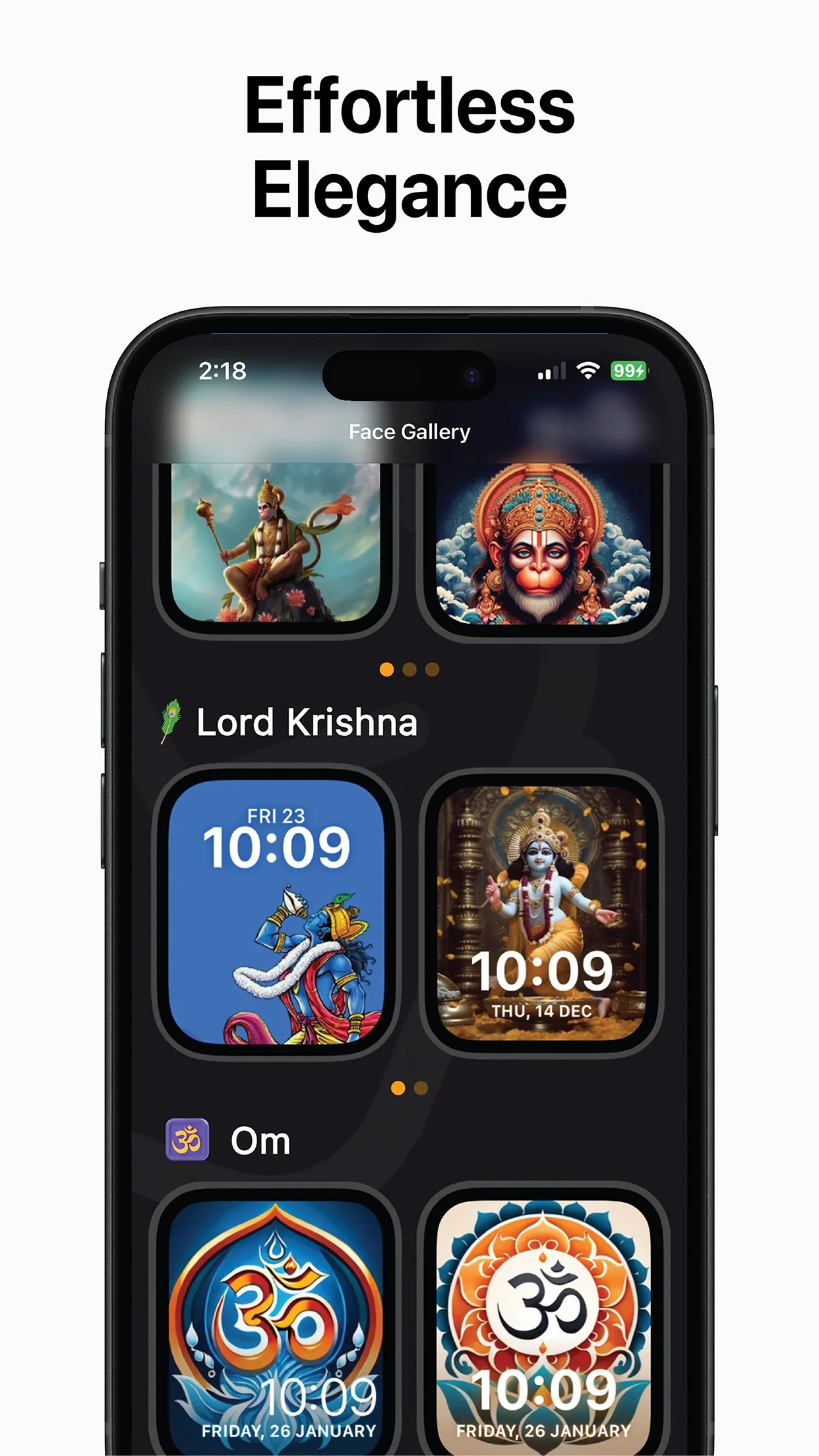
Kaal is a free gallery of Apple Watch faces made around the deities, symbols and temples you hold close: Lord Krishna, Shiva, Ganesha, Hanuman, Om, the Golden Temple, Ram Mandir Ayodhya and more. Choose one on your iPhone and add it to your watch in one tap.
Free · iPhone with iOS 16+ and a paired Apple Watch · Add to Watch in one tap
How it works
Three steps from install to a new face on your wrist with Kaal.
- 1
Browse the gallery
Open Kaal on your iPhone. Faces are grouped by theme — deities, sacred symbols, temples — so you can scroll straight to the one you are looking for.
- 2
Preview it on a watch
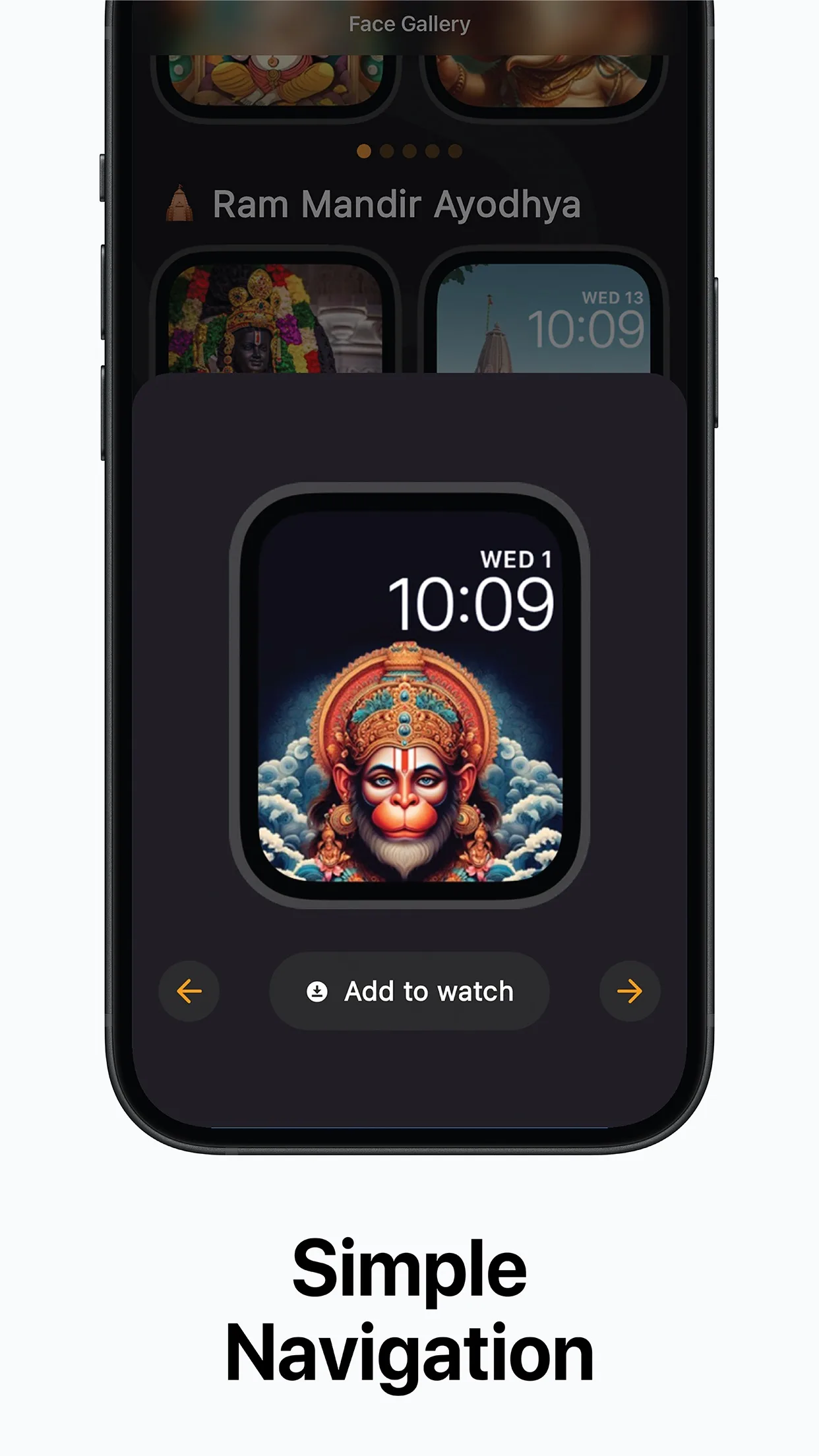
Tap a design to see it full size on an Apple Watch outline, with the time and date laid over the artwork exactly as they will appear on your wrist.
- 3
Tap Add to Watch
Kaal hands the face to the Apple Watch app on your iPhone, which installs it on the paired watch. Switch faces as often as you like.
Where time meets culture
In Sanskrit, kaal means time. The app treats the watch face as a small daily expression of heritage rather than just a clock.
What is in the gallery
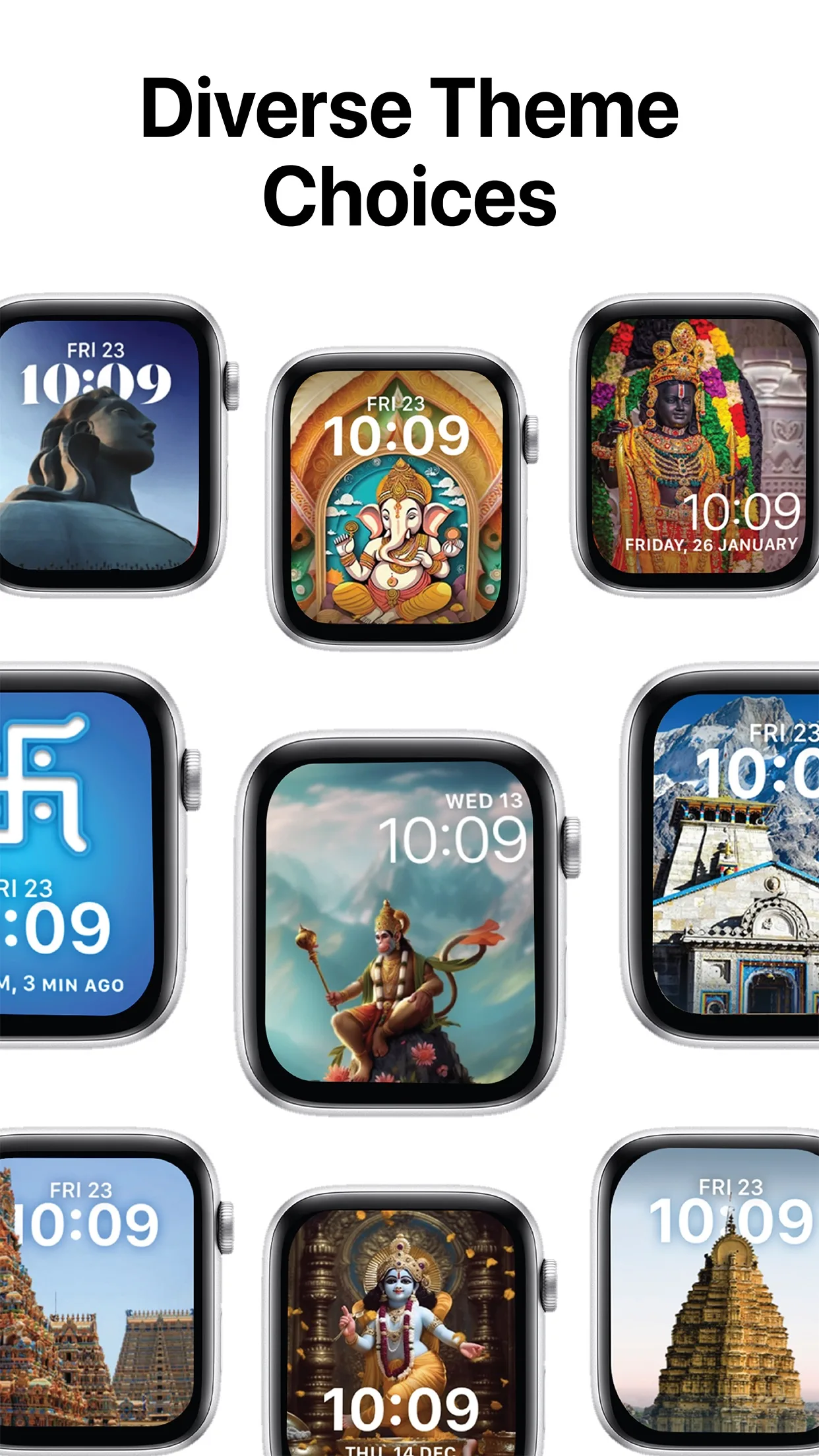
Kaal is a collection of Apple Watch faces designed around Hindu devotional and cultural art. The gallery currently includes designs for Lord Krishna, Lord Shiva, Lord Ganesha, Lord Hanuman and Shirdi Sai Baba, sacred symbols such as Om and the Hindu Swastika, and places of worship including the Golden Temple, Ram Mandir Ayodhya and South Indian temple gopurams. Every face is drawn for the watch display, so the artwork stays sharp and the time stays legible over it.
- Deities
- Lord Krishna, Lord Shiva, Lord Ganesha, Lord Hanuman, Ram Lalla, Shirdi Sai Baba
- Sacred symbols
- Om, Hindu Swastika
- Temples and places
- Golden Temple, Ram Mandir Ayodhya, Kedarnath, South Indian gopurams
Collections grow with updates; open the app for the current gallery.
Made for Apple Watch, installed from iPhone
Apple Watch faces are installed through the Watch app on a paired iPhone, so Kaal lives on the iPhone: that is where you browse, preview and choose. When you tap Add to Watch, the face is handed to the Watch app, which puts it on your watch. There is no separate app to open on the watch itself and nothing to configure there.
New collections over time
The gallery is not a fixed set. Festival specials, seasonal designs and further deity and temple collections are added in updates, and personalisation options are planned, so the choice on the day you install is a starting point rather than the whole catalogue.
FAQ
Answers people search for before they download.
What is Kaal?
Kaal is an iPhone app by KIDA Studios that offers a gallery of divine and cultural Apple Watch faces — Hindu deities, sacred symbols and temples — which you preview on the phone and install on your paired Apple Watch with one tap.
Do I need an Apple Watch to use Kaal?
Yes. Kaal makes watch faces, and a watch face can only be installed on an Apple Watch paired with your iPhone. You can browse the gallery without one, but Add to Watch needs a paired watch.
Is Kaal free?
Kaal is free to download on the App Store. Open the listing for current pricing and any in-app details.
How do I add a Kaal face to my watch?
Open Kaal on your iPhone, tap the face you want, and tap Add to Watch. The face is passed to the Apple Watch app, which installs it on your watch. You can switch between faces from the watch as usual.
Which deities and designs are included?
Lord Krishna, Lord Shiva, Lord Ganesha, Lord Hanuman and Shirdi Sai Baba, the Om symbol and Hindu Swastika, and temples including the Golden Temple and Ram Mandir Ayodhya. New collections and festival specials are added in updates.
What iPhone does Kaal need?
An iPhone running iOS 16.0 or later, paired with an Apple Watch. See the iPhone page for details.
Guides
Step-by-step guides for real search questions, each showing how Kaal fits.
Chhath Puja and Dev Deepawali 2026 Dates (After Diwali)
Chhath Puja 2026 is on Sunday, 15 November, and Dev Deepawali in Varanasi on Tuesday, 24 November (Kartik Purnima). Dates with sources.
Read guide › diwali 2026 dateDiwali 2026 Date: Full Calendar From Dhanteras to Bhai Dooj
Diwali 2026 is on Sunday, 8 November (Lakshmi Puja). Dhanteras is 6 November and Bhai Dooj 11 November. Full five-day calendar with sources.
Read guide › diwali apple watch faceDiwali Apple Watch Face: How to Set a Devotional Face for the Festival
Set a devotional Apple Watch face for Diwali: pick a Ganesha, Om or temple face in Kaal on your iPhone, tap Add to Watch, and switch it on your wrist.
Read guide › hindu god watch faceHindu God Apple Watch Faces: Krishna, Ganesh, Hanuman, Shiva and More
Add a Krishna, Ganesh, Hanuman, Shiva or Om face to your Apple Watch. How watch faces install from iPhone, and what Kaal's free gallery includes.
Read guide ›Get Kaal today
Where time meets culture — built by KIDA Studios.