

Kaal for iPhone · Free divine watch faces
Choose on your iPhone. Wear it on your wrist.
The Kaal app is where the gallery lives: browse divine and cultural faces by theme, preview each one on a watch outline, and send it to your paired Apple Watch with one tap.
Free · iOS 16+ · Needs a paired Apple Watch · No account needed
iPhone
What Kaal does on iPhone
The iOS version specifically — what it is built around and what it does differently from the other versions.
Kaal is an iPhone app for a reason that is easy to miss: Apple Watch faces are installed through the Watch app on the paired iPhone, not on the watch itself. So the gallery, the previews and the Add to Watch button all live on the phone, and there is nothing to open or set up on the wrist.
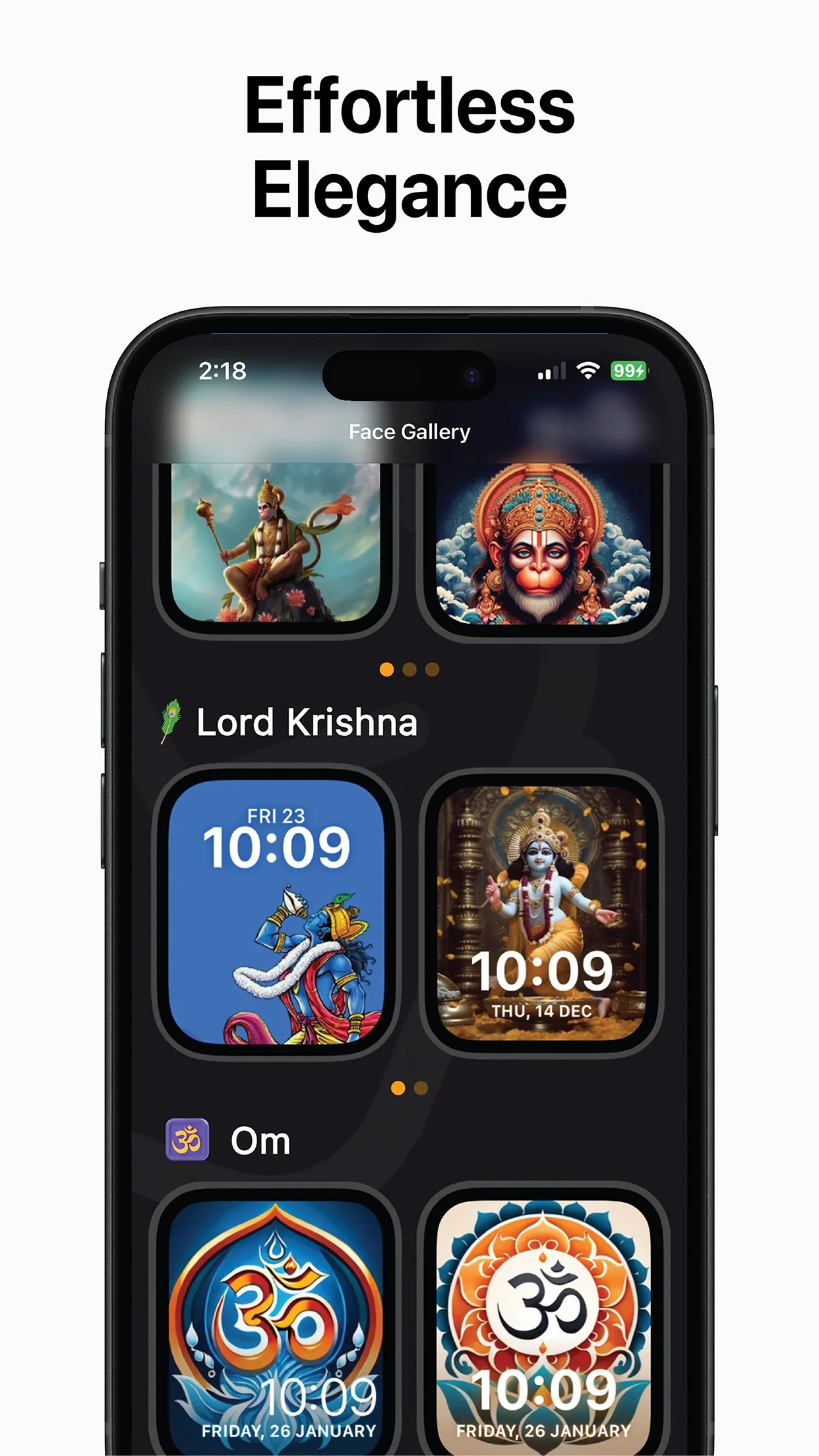
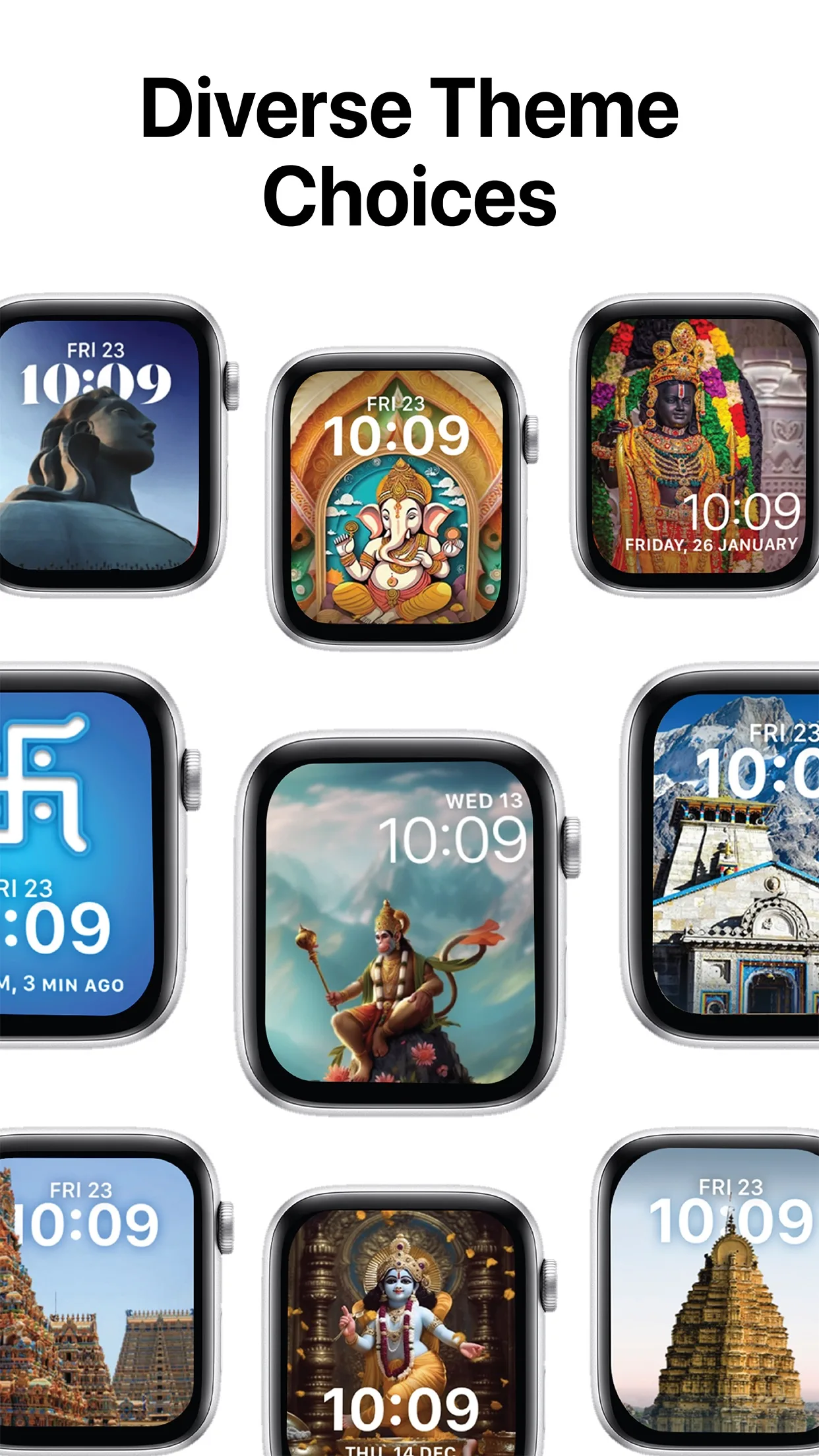
The gallery is organised by theme — deities such as Lord Krishna, Shiva, Ganesha, Hanuman and Shirdi Sai Baba, sacred symbols like Om and the Hindu Swastika, and temples including the Golden Temple and Ram Mandir Ayodhya. Each face is drawn for the watch display so the artwork stays sharp with the time laid over it.
It needs a paired Apple Watch to do its job. Without one you can still browse and preview, but the face has nowhere to go.
On iPhone you get
Themed gallery.
Faces grouped as deities, sacred symbols and temples, so you scroll straight to what you want.
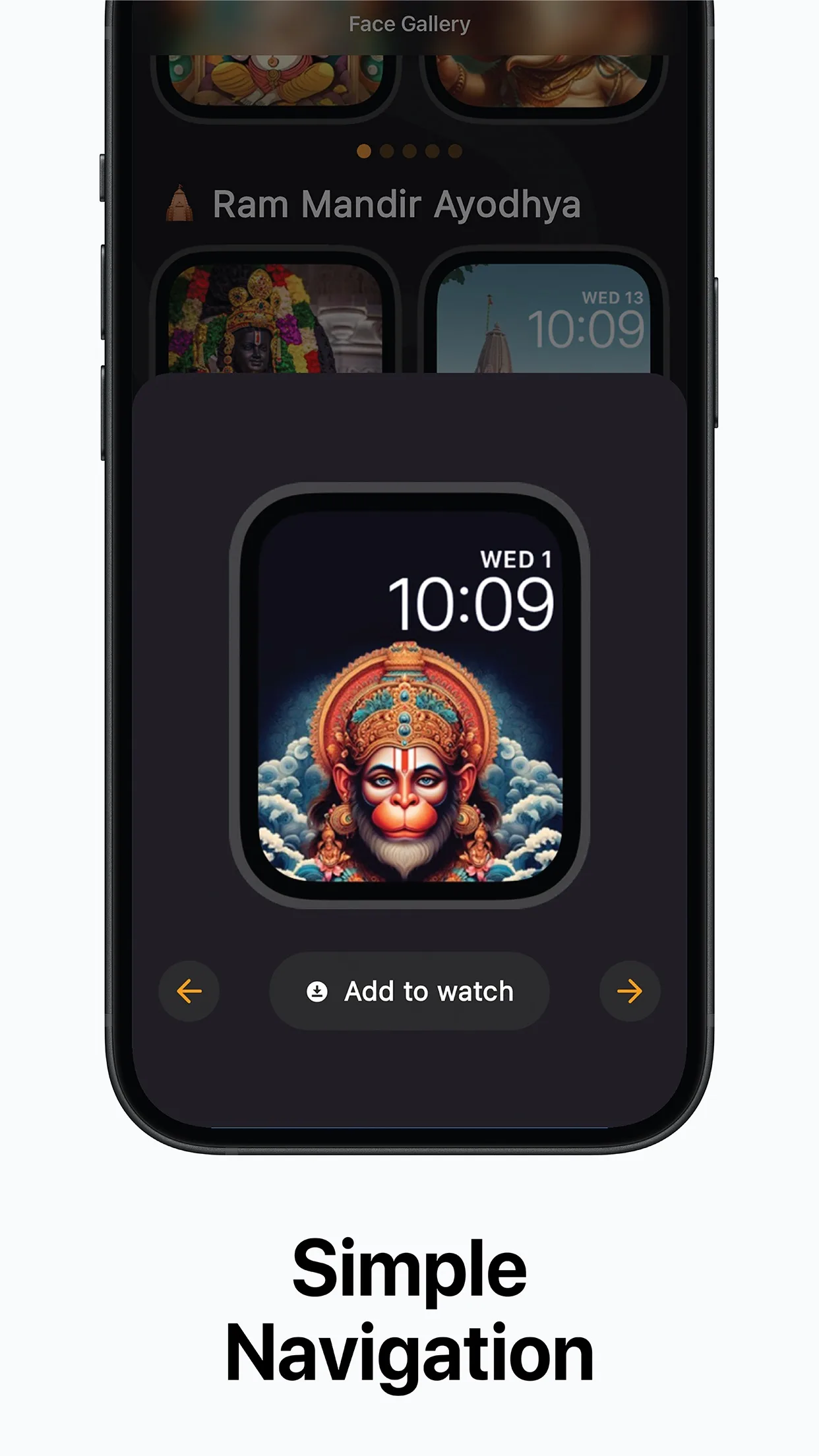
Full-size preview.
See the face on an Apple Watch outline with the time and date over the artwork before you commit.
Add to Watch in one tap.
The face is passed to the Apple Watch app, which installs it on the paired watch.
Growing collection.
Festival specials, seasonal designs and new deity and temple sets arrive in updates.
Free to download.
No account to create; open the app and browse.
How to get Kaal on iPhone
Three steps from the store to your first result on iOS.
- 1
Install from the App Store
Use the button above. Kaal is free to download.
- 2
Pick a face
Browse the gallery by theme and tap a design to preview it full size.
- 3
Tap Add to Watch
The face goes to the Apple Watch app on your iPhone, which puts it on your watch.
iPhone requirements
What the iOS version needs before you install it.
- iOS
- iOS 16.0 or later
- Apple Watch
- A watch paired with the iPhone — faces can only be installed on a paired Apple Watch
- Price
- Free to download on the App Store
- Account
- None needed
Face installation is handled by Apple’s Watch app, so a watch that is not paired with this iPhone cannot receive faces from it.
Kaal on other platforms
The same app, on the devices you already own.
FAQ
Questions people ask before installing on iOS.
Is there a Kaal app on the watch itself?
No. Watch faces are installed from the paired iPhone through the Watch app, so Kaal runs on the iPhone. Once a face is added you switch to it on the watch as usual.
Can I use Kaal without an Apple Watch?
You can browse and preview the gallery, but Add to Watch needs an Apple Watch paired with the iPhone.
Is Kaal free on iPhone?
It is free to download on the App Store. Open the listing for current in-app details.
Which iOS version is required?
iOS 16.0 or later.
Get Kaal for iPhone
Where time meets culture — built by KIDA Studios.