
The two-minute version
- Download Lookout (free) from the App Store.
- Fix the mount, plug in the charger, install Lookout and allow the camera, microphone and location.
- Line up the back camera on the road and check the front camera sees the cabin.
- Turn on Dashcam Mode and record a short test drive.
- Check the front, back and combined files on your iPhone, then adjust the mount if needed.

Lookout · Free dual camera recorder
Lookout: turn iPhone into dash cam in one setup
Lookout turns an iPhone XS or newer into a two-way dash cam: back camera on the road, front camera on the cabin, with an optional speed, GPS and date and time overlay.

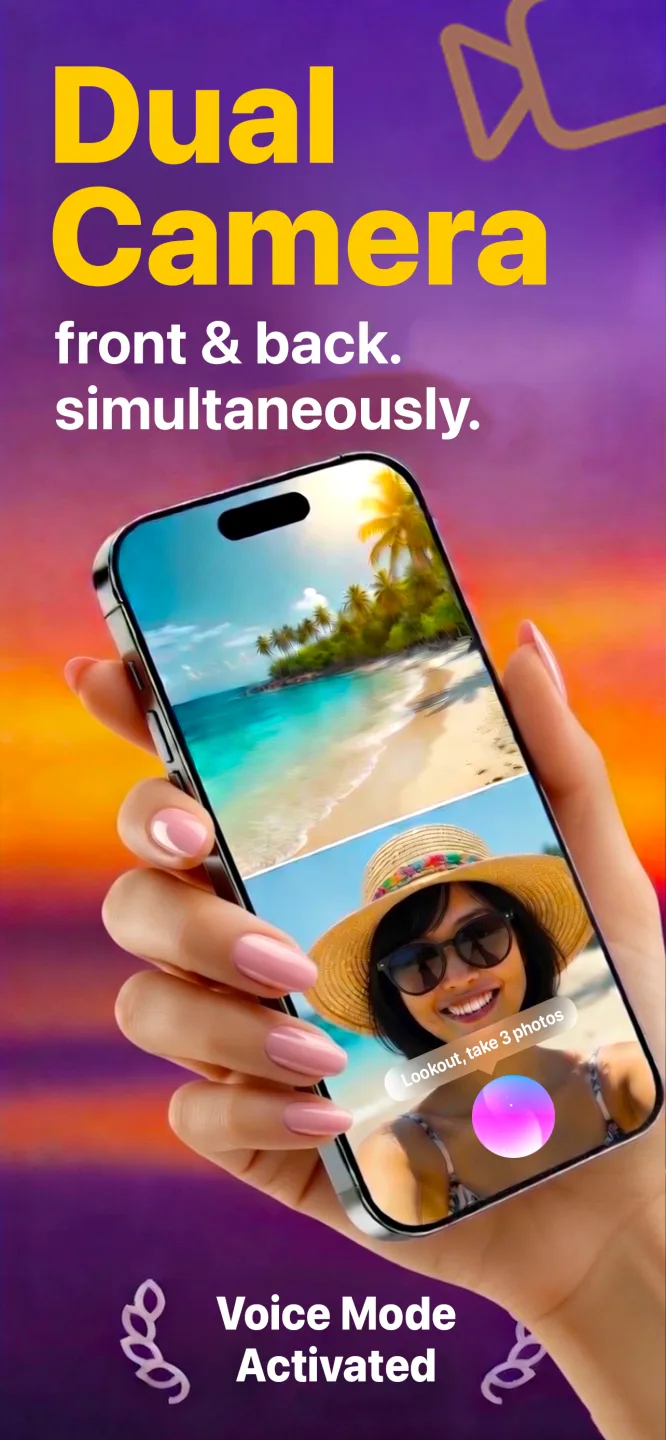
Free to download · Lookout Pro in-app purchase · iPhone XS and newer · Records, does not edit. What Lookout is
Reviewed 13 November 2026. Heat guidance was checked against Apple Support and Lookout features against its App Store listing. No mount or charger brands are recommended. Sources are listed at the end of this guide.
| Kit list | What to use |
|---|---|
| Phone | iPhone XS or newer, iOS 17 or later |
| Mount | Vent or dashboard mount, below your eye line |
| Power | A car charger and a short cable |
| App | Lookout (free to download, optional Pro purchase) |
| Settings to change | Driving Focus, free storage, location access for Lookout |
| One-time setup | About 15 minutes including a test drive |
In this guide: The kit · Mount · Power · App setup · iPhone settings · Quick start · Test drive · Spare iPhone · FAQ
What do you need to turn iPhone into dash cam?
| Item | Why you need it | What to look for |
|---|---|---|
| iPhone XS or newer | Recording both cameras at once needs the XS or later | iOS 17 or later |
| Mount | Holds the phone steady with a clear view of the road | Grips firmly, sits low, does not cover the back camera |
| Car charger | Two cameras and GPS drain the battery fast | Enough output to keep the phone charging while recording |
| Short cable | Long, loose cables snag and can slow charging | Just long enough to reach the mount |
| Lookout | Records road and cabin with a speed, GPS and time overlay | Free to download from the App Store |
Which mount works best?
Pick a mount that holds the phone low, steady and with the back camera clear. A vent mount is easy and keeps the phone in cool air, which helps in summer. A dashboard mount gives a better road view on cars with a low vent. Windscreen suction mounts give the best view but some places restrict what you can attach to the glass, so check your local rules first.
- Make sure the mount's grip does not cover the back camera lenses.
- Keep it below your eye line and out of the airbag path.
- Avoid spots in direct sunlight, which heat the phone fast.
- Give it a shake: a wobbling phone gives shaky footage.
How do you power it?
Plug the phone in for every drive. Recording two cameras with the GPS on and the screen awake uses much more power than normal use. A weak charger may only slow the drain rather than charge. Use a decent car charger and a short cable.
Charging also makes heat. Apple says iPhones are designed for 0 to 35 degrees Celsius (32 to 95 Fahrenheit) and may limit the camera or stop to cool down when too hot (Apple Support). Black-screen recording and a vent mount both help.
How do you set up Lookout?
- Install Lookout from the App Store and open it.
- Allow camera and microphone so both cameras and the cabin audio record. Turn off the microphone if you do not want audio.
- Allow location so Dashcam Mode can show speed and GPS.
- Turn on Dashcam Mode for the speed, GPS and date and time overlay.
- Try black-screen recording so you know how to darken the display mid-recording.
Which iPhone settings should you change?
- Driving Focus. Set it to turn on automatically when the phone connects to the car, so notifications do not light up the screen.
- Free storage. Settings > General > iPhone Storage. Offload apps and clear old videos you no longer need.
- Location for Lookout. Settings > Privacy & Security > Location Services. Without it there is no speed or GPS on the overlay.
- Low Power Mode off while recording. It can reduce performance; you are plugged in anyway.
How do you start recording quickly?
Set up a fast way to start while parked, so it becomes a habit:
- Lock Screen widget. Add Lookout's widget so one tap opens the app.
- "Hey Lookout". Say "Hey Lookout, start recording" to start without touching the phone.
- Apple Watch. The Lookout Watch app shows a live preview and starts recording from your wrist.
Even with voice control, start recording before you set off. The full routine for each drive is in how to use iPhone as a dashcam.
How do you test it?
- Record a 5 to 10 minute drive on a familiar road.
- Park and open the back camera file. Can you read a number plate a car length ahead?
- Check the overlay shows the right speed and time.
- Check the front camera file shows the cabin, not just the roof.
- Adjust the mount and test again if needed.
Can you use a spare iPhone as a dashcam?
Yes, if it is an iPhone XS or newer on iOS 17 or later. A spare phone can live in the car, so your main phone stays free for calls and maps. Keep it charged, and do not leave it in a parked car in the sun: Lookout does not have a parking mode, and heat is hard on batteries.
Driving in heavy traffic shows up in your pulse. If you wear an Apple Watch, 70 BPM lines up the heart rate Apple Health records with the events in your calendar, so you can see which drives were the stressful ones. 70 BPM is not a medical device. In an emergency, call your local emergency number.