
The two-minute version
- Download Lookout (free) from the App Store.
- Mount the iPhone low on the dash or vent and plug it into the car charger. Open Lookout and allow the camera and microphone.
- You will see two live previews: the road (back) and the cabin (front).
- Switch on Dashcam Mode, then say "Hey Lookout" or tap record before you set off.
- Front, back and combined videos are saved on your iPhone. Nothing is uploaded.

Lookout · Free dual camera recorder
Lookout: a two-way dash cam app for iPhone
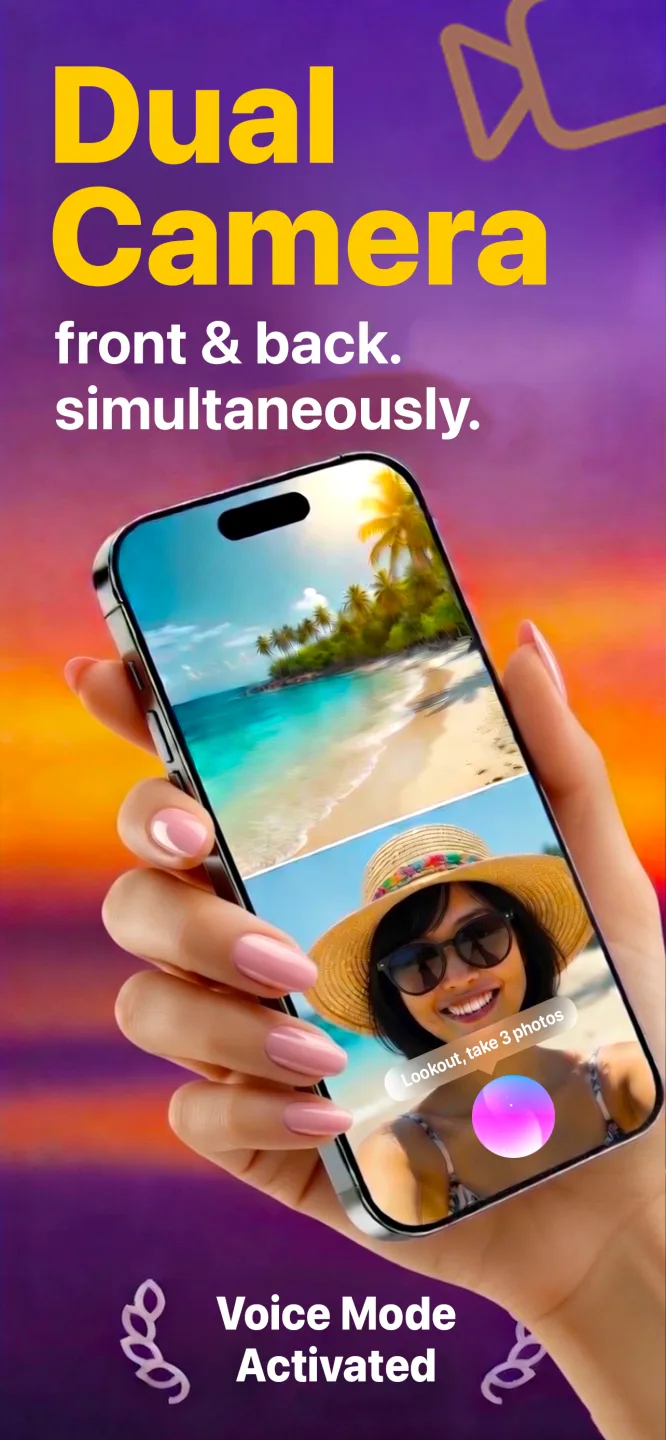
Lookout records the road with the back camera and the cabin with the front camera in one capture session, with an optional speed, GPS and date and time overlay, all on your phone.

Free to download · Lookout Pro in-app purchase · iPhone XS and newer · Records, does not edit. What Lookout is
Reviewed 13 November 2026. Heat guidance was checked against Apple Support, rideshare privacy points against the Future of Privacy Forum and Uber, and Lookout features against its App Store listing. Sources are listed at the end of this guide.
| Quick facts | Answer |
|---|---|
| What it records | The road (back camera) and the cabin (front camera) on one synced timeline |
| Dashcam Mode | Live speed, GPS and a date and time overlay burned into the video, working offline |
| Files saved | Front camera, back camera and a combined picture-in-picture video |
| What it lacks | Loop recording, an impact sensor and parking mode |
| Best for | Chosen drives, rideshare and delivery shifts, driving lessons, road trips |
| Heat limit | Apple designs iPhones for 32 to 95 degrees F; camera features can be disabled when too hot |
In this guide: Road and driver · Dashcam Mode · Setup · vs a dash cam · Two-way / twowaydashcam.com · Heat · Drivers · Legal · After an incident · FAQ
What can a dash cam app for iPhone do, and what can it not?
A phone has a better camera than most budget dash cams, a live screen for framing and a battery that survives a bump. What it lacks is car-specific design: no automatic loop recording, no impact sensor that locks a clip and no way to run while parked. For always-on cover, buy a dedicated unit. For a particular drive, a long trip or a driving lesson, an app costs nothing and you already carry it.
What does Lookout's Dashcam Mode record?
Dashcam Mode shows a live speed readout and burns speed, GPS and a date and time overlay into the video. It works without an internet connection, because everything is processed on the device. The overlay is part of the picture, so the time is visible in the footage and not only in a file property.
Lookout saves the front camera, the back camera and a combined picture-in-picture version as separate files, so the unedited originals sit beside the combined view. The details are in dash cam footage as car accident evidence.
How do you set up an iPhone as a dash cam?
- Mount it low and legally. A vent or dash mount below your eye line is usually safest. Windscreen rules differ by country and state.
- Aim it. Put the horizon about a third of the way down the back camera frame. Too much hood and too little road makes plates hard to read.
- Plug into the car charger. Two cameras plus a bright screen drain a battery quickly.
- Turn on Dashcam Mode for the speed, GPS and time overlay.
- Black out the screen. Black-screen recording keeps both cameras running without a bright display in your eyeline.
- Start before you move. Say "Hey Lookout" or start from your Apple Watch while stopped, never while driving.
How does an iPhone compare with a dedicated dash cam?
| iPhone with Lookout | Dedicated dash cam | |
|---|---|---|
| Cost | Free to download; optional Pro purchase | A separate hardware purchase |
| Road view | Yes, back camera | Yes |
| Cabin view | Yes, front camera | Only on two-way models |
| Speed, GPS, time overlay | Yes, in Dashcam Mode | Varies by model |
| Loop recording | No. Footage fills storage | Yes, overwrites the oldest |
| Impact detection | No | Yes, locks the clip |
| Parking mode | No | On wired models |
| Heat tolerance | Limited. iOS can restrict camera features when hot | Built for hot windscreens |
| Where footage lives | On the phone, no upload | On a card, sometimes the cloud |
If you want always-on insurance cover, buy a dash cam. If you want a record of a specific drive, or a view of both road and driver, an iPhone does that well. The longer comparison is in using an iPhone as a front and rear dash cam.
What is a two-way dash cam, and is that what twowaydashcam.com means?
A two-way (dual-channel) dash cam records the road ahead and the cabin on one timeline. Rideshare and delivery drivers, taxi drivers and parents of new drivers buy them. If you searched for twowaydashcam.com, this is the idea behind it: one device, two views.
An iPhone does the same job with its two cameras: back camera for the road, front camera for the cabin. Apple opened this up to apps in iOS 13 (WWDC19 session 249), and Lookout needs an iPhone XS or newer.
Will an iPhone overheat in a car?
It can. Apple says iPhones are designed for ambient temperatures between 32 and 95 degrees Fahrenheit (0 to 35 Celsius), that extended camera use in heat or direct sunlight can cause overheating, and that camera features may be temporarily disabled when the phone is too hot (Apple Support).
- Run the phone from a car charger, but keep it out of direct sun.
- Take off a thick case and point cool air toward it.
- If a temperature warning appears, stop recording and let the phone cool.
- On long trips, record in segments instead of one continuous take.
How do rideshare and delivery drivers use it?
Two-way recording matters most when the inside of the car matters. Drivers use it to document a dispute about a route or a fare, and parents use it to review driving lessons. Privacy rules matter here. The Future of Privacy Forum recommends that rideshare drivers tell riders they are recording and limit how long footage is kept (FPF). Uber notifies riders in markets where drivers register a dashcam, and expects drivers to follow local consent law (Uber). Lyft tells drivers to follow city and state rules.
- Tell passengers with a small sticker or a spoken notice. Audio consent rules are the strictest.
- Read your platform's rules before recording the cabin.
- Keep clips only as long as needed and delete the rest.
- Never post passenger footage.
Is it legal to use an iPhone as a dash cam?
Usually, if it is mounted legally and you do not handle it while driving. There is no single national rule in the United States: states differ on what may be attached to a windscreen, and on whether recording a conversation needs everyone's consent. Check your state's vehicle code and recording law, or ask a local attorney.
What should you do after an incident?
Check that everyone is safe and call your local emergency number if anyone is hurt. Then stop recording, keep the original files and do not edit or trim them. Back them up promptly, because they exist only on your phone. Hand the footage to your insurer or the police if asked. This is not legal advice.
Long drives and busy commutes show up in your pulse. If you wear an Apple Watch, 70 BPM lines up the heart rate Apple Health records with the events in your calendar, so you can see how a drive felt. 70 BPM is not a medical device. In an emergency, call your local emergency number.