
Best dual camera app for iPhone free: every model, iPhone XS to 17
The right answer depends on which iPhone is in your pocket. The newest models have a dual mode in the Camera app. Everything from iPhone XS to iPhone 16 needs an app, and most “free” ones are free to download, not free to use. This page goes model by model and compares seven apps on price, resolution, output and the lowest iOS they run on. We make one of them, Lookout, so every row is sourced and the rows where we lose are marked.

Lookout · Free dual camera recorder
Lookout: the free dual camera app for iPhone
Lookout runs your iPhone's front and rear cameras in one capture session, so both angles are of the same moment and line up without manual syncing.

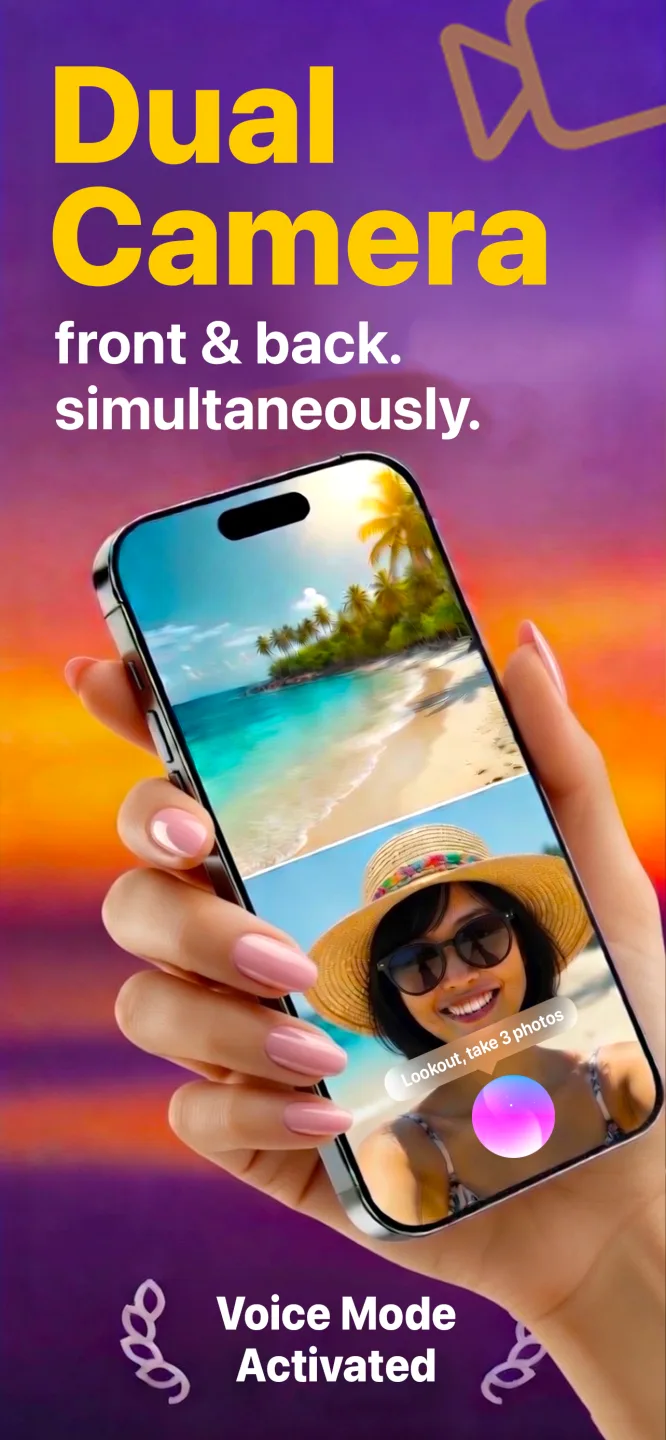

Free to download · Lookout Pro in-app purchase · iPhone, Mac & Apple Watch · Records, does not edit. What Lookout is
What one Lookout take gives you
- Three videos: the front camera, the back camera and a dual picture-in-picture clip, all from the same moment.
- Map video: an extra GPS map video when you want the route as well.
- 720p or 1080p at 5, 15 or 30 fps.
- Free to download on iPhone, Mac and Apple Watch, with no account.
In short. iPhone 17, 17 Pro or iPhone Air: use Dual Capture in the Camera app, or an app if you want more control. iPhone XS to iPhone 16: install an app. Lookout is free to download on iPhone, Mac and Apple Watch, runs on iOS 17 and later (so it reaches iPhone XS and XR), and has an Apple Watch remote. SplitRig is free with no in-app purchases but needs iOS 26. Figures checked 2026-10-21.
What decides whether your iPhone can do it
Recording both cameras at once uses Apple’s multi-camera capture framework, which only runs on an A12 Bionic chip or newer. That is iPhone XS, XS Max, XR and every model after them. No app can change that, so an app promising dual recording on an iPhone 8 is stitching two clips together after the fact.
There is a second filter that catches people out: the lowest iOS an app supports. An app can need an A12 chip and also need iOS 26, which Apple does not offer for iPhone XS, XS Max or XR. That is why the table below carries an iOS column.
What to check before you install a “free” dual camera app
- 1. The In-App Purchases list
Scroll the App Store listing to the bottom. Weekly and yearly subscription items mean the app is not free in any useful sense, whatever the Get button says.
- 2. Watermarks and time limits
Listings rarely say. Reviews do. Search the ratings for “watermark” and “limit” before you spend an evening testing.
- 3. Whether the resolution is stated for dual mode
Many listings advertise 4K for single-camera video and say nothing about what two cameras at once can do. Apple’s API limits dual capture on many devices, so the headline figure often does not apply.
- 4. One file or separate files
Separate files let you re-edit the layout later and cut vertical and horizontal versions from one take. A single composite is faster to post and hard to change.
- 5. The privacy label
“Data Not Collected” is the developer’s claim and Apple does not verify it, but it is a useful first filter. A camera app should not need identifiers for tracking.
- 6. Lowest iOS
The cheapest way to rule an app out for your phone.
Seven dual camera apps compared
Every figure below is from the app’s own App Store listing (US storefront) unless marked as press reporting, and was checked on 2026-10-21. Where a listing says nothing, the cell says so. Prices change; confirm on the listing.
| App | Price | Resolution and frame rate, as stated | Output | Lowest iOS | Last updated |
|---|---|---|---|---|---|
| Lookout | Free on iPhone, Mac and Apple Watch; optional Lookout Pro US$2.99 | 720p or 1080p; 5, 15 or 30 fps | Three videos: front, back and dual picture-in-picture, plus an optional map (GPS) video | iOS 17 | May 2026 |
| SplitRig | Free; no in-app purchases listed | Up to 4K at 30 fps; 60 fps “Action Cam” | One synced video file | iOS 26 | Oct 2026 |
| Apple Dual Capture | Included with iOS | 1080p or 4K at 24/30 fps (press reports) | One file, fixed picture-in-picture | iPhone 17 family | Built in |
| DoubleTake | Free; subscriptions listed from $0.99 to $99.99 | 1080p; 24, 25 or 30 fps | Composite or separate files per camera | iOS 14.1 | Mar 2025 |
| 2Camera | Free; Pro $0.99/mo, $4.99/yr or $8.99 lifetime | 4K and 1080p listed; dual-mode limit not stated; 24/30/60 fps | Separate files or picture-in-picture | iOS 17.1 | Oct 2026 |
| Dualgram | Free; PRO $8.99/yr or $29.99 unlock | Lists 4K 60 fps; developer says saved video is 30 fps | Three files: front, rear, combined | iOS 17.0 | Sep 2026 |
| MixCam | Free; $1.99 weekly, $9.99 business monthly, $49.99 Pro Camera, $2.99 watermark removal | Not stated | Not stated | iOS 15 plus A12 chip | Jun 2026 |
Apple Dual Capture figures come from press coverage of the iPhone 17, not an Apple support page: Tom’s Guide and 9to5Mac. Lookout’s resolution, frame rates and output come from the app itself.
What is actually free in each app
| App | Free | Paid | Worth knowing |
|---|---|---|---|
| Lookout | Download and recording on iPhone, Mac and Apple Watch | Lookout Pro, US$2.99 (what it unlocks is shown on the listing) | Privacy label: Data Not Collected. Works offline. |
| SplitRig | Everything; “no ads, no account” per listing | Nothing: no in-app purchases listed | Privacy label: Data Not Collected. |
| Apple Dual Capture | Everything | Nothing | Needs an iPhone 17, 17 Pro or iPhone Air. |
| DoubleTake | Download | Weekly or yearly subscriptions, plus creator bundles | Privacy label lists identifiers used for tracking. |
| 2Camera | Download | Pro, monthly, yearly or lifetime | Privacy label: Data Not Collected. |
| Dualgram | Download | PRO yearly or one-off unlock | Listing’s age rating says it contains advertising. |
| MixCam | Recording; a watermark-removal purchase exists | Weekly, business monthly, Pro Camera, watermark removal | Time limits are mentioned only in user reviews. |
Where each app wins, including where Lookout does not
SplitRig is the strongest free option if your iPhone runs iOS 26. It lists no in-app purchases, states 4K at 30 fps and a 60 fps mode, and its rating is high (4.97 from 36 US ratings). Lookout records 720p or 1080p at up to 30 fps, so SplitRig’s stated 4K is a real advantage if resolution is what you are buying.
DoubleTake has the longest history and offers separate files per camera, but its listing caps multi-camera at 1080p, sells subscriptions, and its device list for multi-camera stops at the iPhone 13 series. Its last update was March 2025. We compare the two directly in Lookout vs DoubleTake.
2Camera, Dualgram and MixCam have far larger review counts than Lookout on the US App Store (6,006 ratings for MixCam, 2,721 for Dualgram, against a handful for Lookout). Dualgram’s three-file output and 2Camera’s separate-file option suit editors. MixCam’s listing is the least specific of the group about what it records.
Apple’s Dual Capture costs nothing and needs no install, but it is one fixed layout in one file, and only on the iPhone 17 family.
SplitRig alternative: when Lookout is the better fit
Pick Lookout over SplitRig when your phone cannot run iOS 26, in particular iPhone XS, XS Max and XR, or when your Mac is on macOS 15.6 rather than macOS 26. Lookout needs iOS 17, macOS 15.6 or watchOS 11.5. If your phone runs iOS 26 and you only need the iPhone, SplitRig’s stated 4K and zero in-app purchases are a real reason to start there.
The best dual camera app for your iPhone, model by model
The chip column is Apple’s. “Camera app” means the built-in Camera, which on every model before the iPhone 17 has no dual mode.
iPhone 17 dual camera: 17, 17 Pro and iPhone Air
These are the only iPhones with Dual Capture in the Camera app: front camera as a picture-in-picture thumbnail, one file. That covers a quick selfie-plus-scene clip. If you want to pick the layout, start hands-free with a voice command, or watch both previews from an Apple Watch, use an app. Lookout runs on all three.
iPhone 16, 16 Plus, 16 Pro, 16 Pro Max and 16e
The A18 has plenty of headroom, but the Camera app has no button for it, so you need an app. Any of the apps above that your iOS version supports will work. See dual capture on iPhone 16 and how to use dual camera on iPhone 16.
iPhone 15 and iPhone 14 families
A16 and A15 chips (A17 Pro on the 15 Pro) handle two cameras comfortably. The six third-party apps in the table run on these models if the iOS version fits. Heat on long takes is the practical limit: record in segments and keep the phone out of direct sun.
How to record video with both cameras at same time iPhone 13
All four iPhone 13 models have the A15 chip. The Camera app has no dual mode, so install an app. Lookout records front and rear together on the iPhone 13, 13 mini, 13 Pro and 13 Pro Max.
How to record video with both cameras at same time iPhone 12
The A14 in the iPhone 12 family is well above the A12 minimum. Same approach: a free app adds what the Camera app lacks. Lookout works on the iPhone 12, 12 mini, 12 Pro and 12 Pro Max.
iPhone 11 family and iPhone SE (2nd and 3rd generation)
The A13 and A15 chips are fine. This is where the lowest-iOS column starts to matter less, because iPhone 11 can run iOS 26. DoubleTake’s listing names the iPhone 11 series for multi-camera.
iPhone XS, XS Max and XR
The oldest iPhones that can record both cameras at once (A12). They cannot run iOS 26, so the choice narrows to apps that support older iOS. Lookout needs iOS 17, which these phones can run. Expect heat and storage to bite sooner than on a newer phone.
So which should you pick?
iPhone 17, 17 Pro or iPhone Air, casual use: the Camera app. Nothing to install.
iOS 26 and you only need the iPhone: try SplitRig first, then Lookout if you want Mac or Apple Watch control.
iPhone XS, XS Max or XR, or any iPhone still on iOS 17 or 18: Lookout, 2Camera or Dualgram, depending on whether you want a free download, a lifetime unlock or three-file output.
You edit afterwards: pick an app that saves separate files. Lookout saves three videos per take: front, back and the dual picture-in-picture, so you can re-cut the layout later.
You film yourself and the room: hands-free matters. Lookout adds “Hey Lookout” voice commands and an Apple Watch preview. See hands-free video recording.
Start in 60 seconds with Lookout
- Install Lookout from the App Store (free) on an iPhone XS or newer running iOS 17 or later.
- Allow camera and microphone. If you refuse the microphone you get silent video, which is easy to miss until playback.
- Pick 720p or 1080p and 5, 15 or 30 fps. Lower settings save storage and heat on long takes.
- Prop the phone up and check both previews. The two cameras face opposite ways, so a bright window behind you turns your face into a silhouette.
- Record ten seconds and play it back before a take you cannot repeat.
- Optional: say “Hey Lookout” to start hands-free, start from an Apple Watch, or add the map (GPS) video for drives and walks.
Frequently asked questions
What is the best dual camera app for iPhone free?
It depends on your iPhone. On an iPhone 17, 17 Pro or iPhone Air, the Camera app has Dual Capture built in. On every other model from iPhone XS up you need an app. Lookout is free to download and runs on iOS 17 and later, so it covers iPhone XS and XR as well. SplitRig is free with no in-app purchases but needs iOS 26, so it starts at iPhone 11.
Does the iPhone Camera app record front and back cameras at the same time?
Only on the iPhone 17 family. Dual Capture in the Camera app is limited to the iPhone 17, iPhone 17 Pro and iPhone Air, according to press coverage. Every earlier model needs a third-party app.
How do I record video with both cameras at the same time on iPhone 13?
The iPhone 13 has an A15 chip, so it can run both cameras at once, but its Camera app has no dual mode. Install a dual camera app such as Lookout, allow camera and microphone access, prop the phone up and press record.
How do I record video with both cameras at the same time on iPhone 12?
Same answer as the iPhone 13. The A14 chip in the iPhone 12 is well above the A12 minimum, and a free dual camera app adds the missing mode.
Using front and back camera at the same time iPhone 17: do I need an app?
No, for the basics. The iPhone 17, 17 Pro and iPhone Air have Dual Capture in the Camera app: switch to Video, enable Dual Capture, and the front camera appears as a picture-in-picture thumbnail. You only need an app for more control over layout, hands-free recording or a watch remote.
Which iPhones can record both cameras at once?
Every iPhone with an A12 Bionic chip or newer: iPhone XS, XS Max and XR, and everything released since. Older phones cannot, because Apple's multi-camera capture framework does not run on them.
Dual video recording iPhone 17: how is it different from older iPhones?
On the iPhone 17 the Camera app gives you one fixed picture-in-picture layout in a single file. Third-party apps add things the Camera app does not offer, such as choosing the layout, hands-free control and a watch remote.
Are free dual camera apps really free?
Often only the download is. Check the In-App Purchases list on the listing for weekly or yearly subscriptions, and read recent reviews for watermarks and recording limits. In our table above, SplitRig lists no in-app purchases, and Lookout lists one optional purchase, Lookout Pro at US$2.99.
Does dual camera recording drain the battery and heat the phone?
Yes. Two sensors and two encoders running together use more power and make more heat than one camera. For long takes, record in segments, keep the phone out of direct sun and take off a thick case.